


Two settings under Advanced Settings in the package builder let you sell a package like an event rather than a membership: cap how many can be sold, and fix the date the package begins. Together they cover challenges, camps, seasonal programs, and anything you pre-sell before it starts. Both are time-based settings and neither appears on a credit-based package.
What you can do with these settings
Cap the number of packages that can be sold
Show athletes how many spots are left on the Sales Portal
Schedule a package to become active on a specific future date
Take a deposit at purchase and start the rest of the billing when the program does
Pre-sell a program weeks before it runs
Cap how many packages you sell
In the package builder, expand Advanced Settings.
Set Limited Quantity to On.
Enter the maximum in Limited Package Sales.
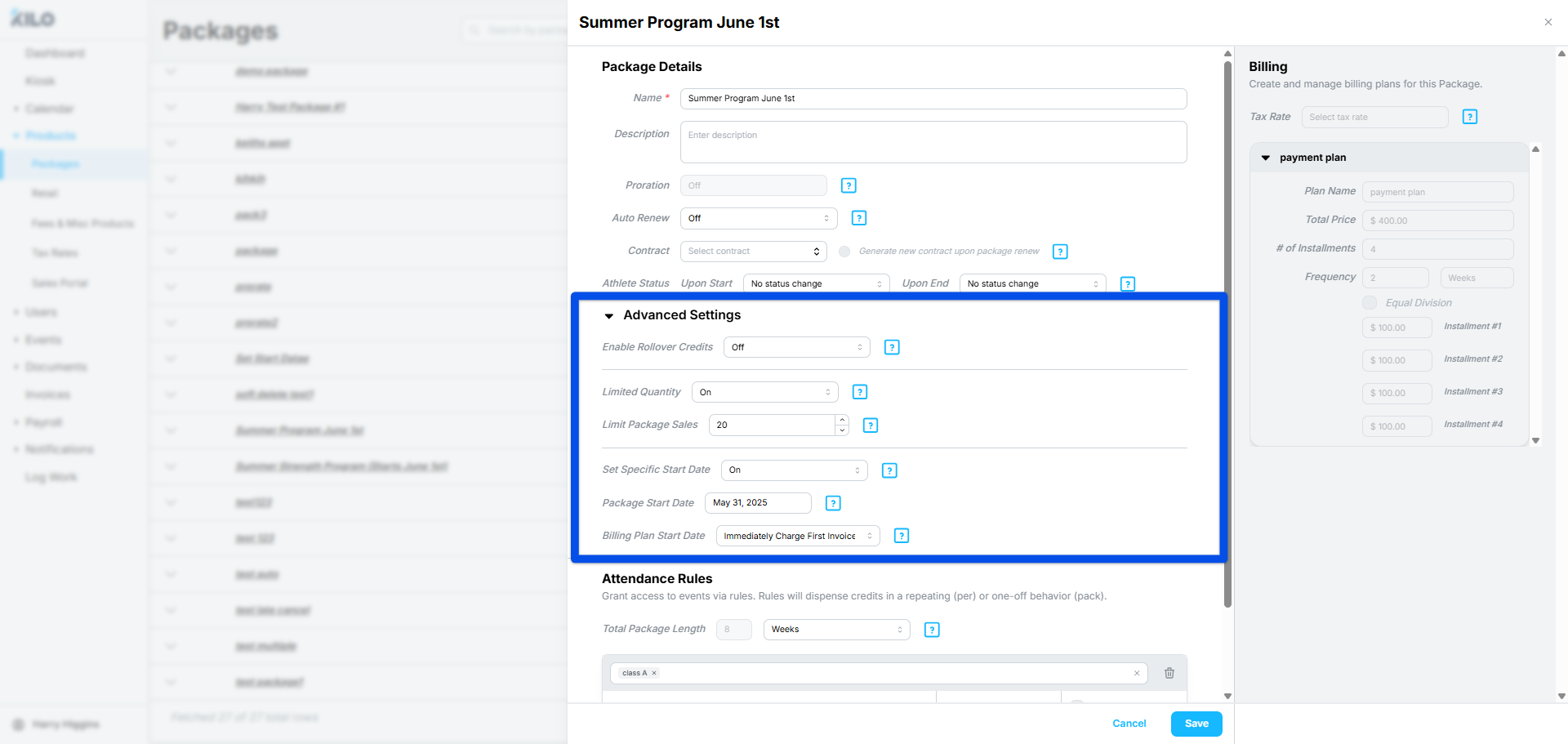
Auto Renew is not available on a limited-quantity package. The setting is built for single-use offers, where a fixed number of spots is the point.
Set a specific start date
By default, a package becomes active when the athlete gets it. Turning on a specific start date separates the sale from the start, which is what makes pre-selling possible.
In the package builder, expand Advanced Settings.
Set Specific Start Date to On.
Enter the Package Start Date. This is the date the package becomes Active.
Choose the Billing Plan Start Date.
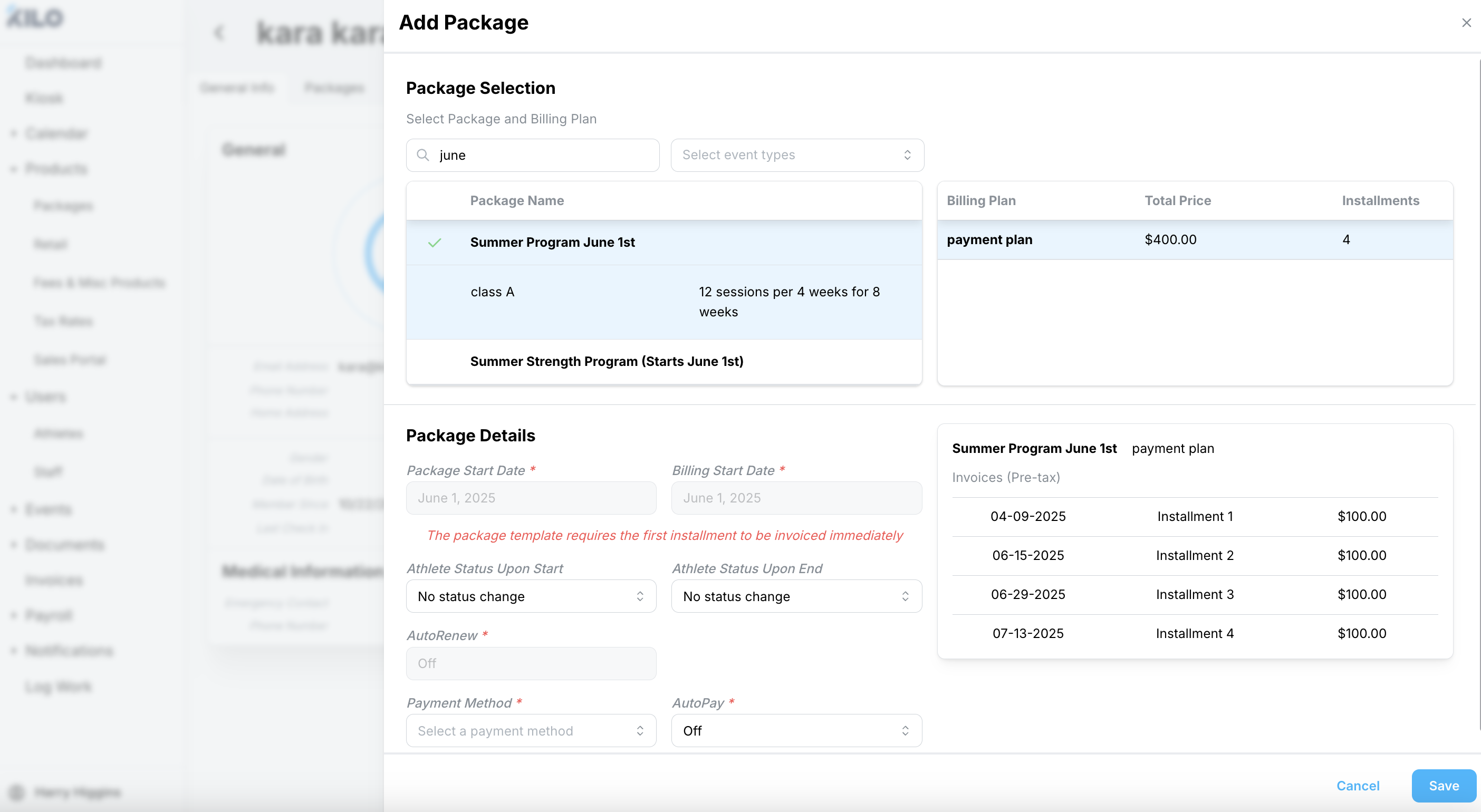
Choosing a billing plan start date
There are two options, and they produce very different cash flow.
Option | What happens | Use it for |
|---|---|---|
Match package start date | The billing plan begins on the day the package becomes active. Nothing is charged at purchase. | Programs where athletes should not pay until it starts |
Immediately Charge First Invoice | The first invoice is charged at purchase. The remaining installments line up with the package start date. | Taking a deposit to hold a spot |
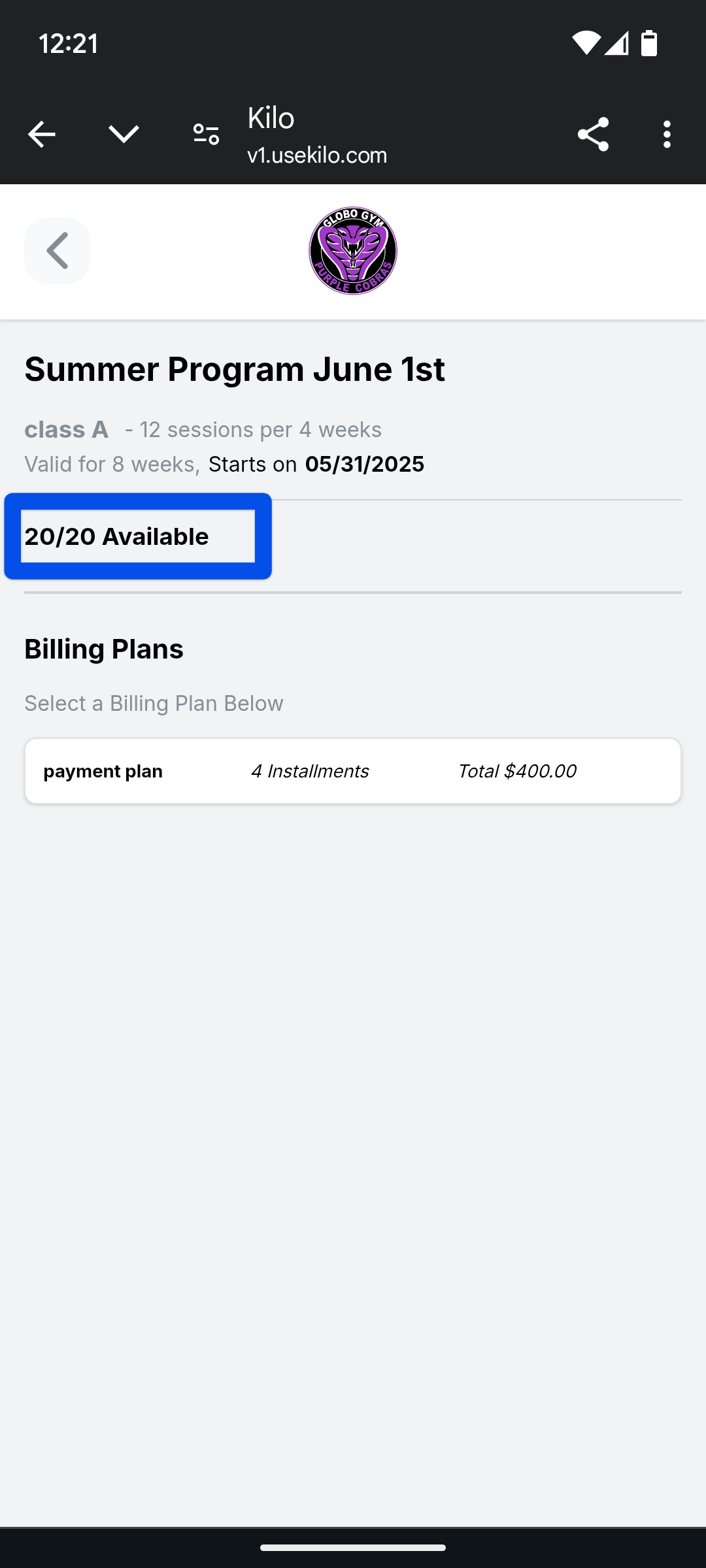
What athletes see on the Sales Portal
A limited-quantity package shows a ticker with the number of spots still available, such as 3 of 20. It updates as packages sell, so athletes can see the program filling up.
Frequently asked questions
Why can't I turn on Auto Renew?
Limited Quantity is on. The two cannot be used together because a capped package is a single-use offer rather than an ongoing membership. Turn Limited Quantity off if the package needs to renew.
What is the difference between Delay Start and Set Specific Start Date?
Set Specific Start Date controls when the whole package begins; Delay Start staggers when one event type opens inside a package that has already started. Use the start date for a program that begins on a fixed day. Use Delay Start for a phased offer where one event type unlocks partway through.
How do I take a deposit?
Turn on Set Specific Start Date and choose Immediately Charge First Invoice. The athlete pays the first installment when they buy, holding their spot, and the rest of the payments follow the package start date.
Can athletes see how many spots are left?
Yes. Limited-quantity packages show a remaining-spots ticker on the Sales Portal. It counts down as packages sell.
What happens when the last one sells?
The cap is reached and no more can be sold. Raise the number in Limited Package Sales if you decide to open more spots.
Do these settings work on credit-based packages?
No. Limited Quantity and Set Specific Start Date are both under Advanced Settings, which only exist on time-based packages.
Helpful tips
Set the cap to the real capacity of the program, not a round number. The ticker is visible to athletes and an accurate count creates honest urgency.
Use Immediately Charge First Invoice when a no-show costs you a spot someone else wanted. A paid deposit is a much stronger commitment than a registration.
Match the package start date to the first session, not the week before. The package becomes active on that date and credits start counting from it.
Build a limited-quantity package fresh rather than cloning a membership, since the membership's Auto Renew setting will have to come off anyway.
Check the Sales Portal listing after you publish. The ticker is the part athletes actually respond to, so it is worth confirming it shows what you expect.
When these settings are most helpful
Running a challenge, camp, or seasonal program with a fixed roster
Pre-selling a program that starts next month
Taking deposits to hold spots in a small-group program
Selling founding-member pricing to a set number of people
Filling a workshop or specialty course with limited capacity
If you have questions about limited-quantity packages in Kilo GMS, our Support team is happy to help. Reach us at hello@usekilo.com.