


A credit-based package sells a block of sessions that an athlete works through at their own pace. It has no time component at all: no validity period, no package length, and no expiry date. What happens when the last credit is checked in depends on Auto Renew. With it on, the package renews. With it off, the package ends. You choose between credit-based and time-based before the builder opens, and you create your Events (Classes and Appointments) before either, since a package is built around the Events it grants access to.
Watch the video below for a walkthrough, or read on for the full guide.
What you can do with credit-based packages
Sell a block of sessions with no expiration date
Renew the package automatically once the last credit is checked in
Grant access to several event types in the same attendance rule
Set a fixed number of sessions, or unlimited
Notify the athlete by email when they use their last credit
Change an athlete's status when the package starts, when it ends, or both
Attach a contract and let athletes cancel from the Kilo app
Credit-based vs. time-based: which should you use?
Both types are offered on the same screen when you create a package. The difference is what causes the package to renew, and that difference changes which settings are available to you.
Question | Credit-based Package | Time-based Package |
|---|---|---|
What triggers renewal | Every credit has been checked in | A set period of time passes |
Unused sessions at renewal | The package stays open until the credits are used | The package renews anyway |
Has a validity period | No, none at all | Yes |
Settings available | Package Category, Auto Renew, Click-to-Cancel, Contract, and Athlete Status | All of those, plus Proration, Include Follow-up Package, Total Package Length, Validity, Delay Start, and Advanced Settings |
Best for | Packs athletes work through at their own pace | Recurring memberships and offers with a fixed length |
Choose Credit-based Package when usage should control the package. Choose Time-based Package when the calendar should control it.
A package's type is set when you create it. To move a package from one type to the other, build a new one.
How a credit-based package renews
Everything turns on the last credit being checked in, not on a date and not on when a reservation was made. An athlete can book every remaining session in advance without triggering anything. The count only moves as they actually attend and get checked in.
What happens at that point depends on Auto Renew:
Auto Renew on: the package renews. Kilo processes this during its nightly updates, so the renewal appears the following day rather than the instant the athlete checks in.
Auto Renew off: the package ends.
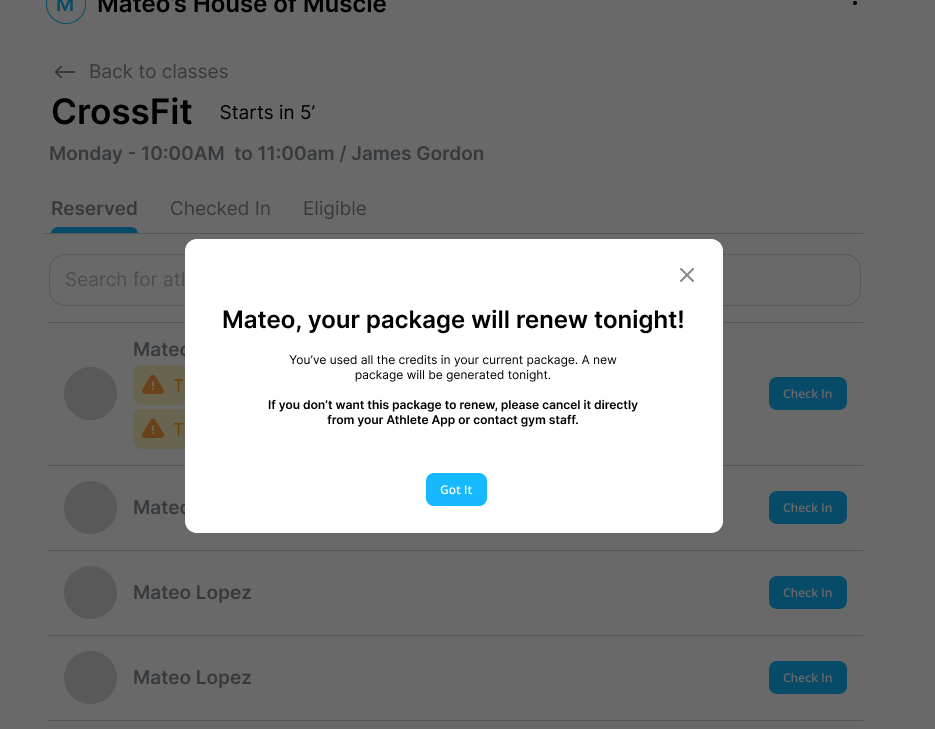
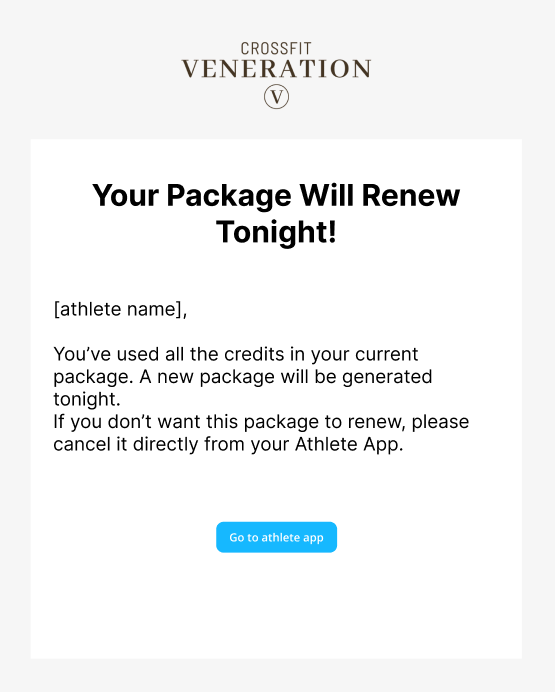
When an athlete uses their last credit:
A notification appears at check-in
The athlete receives an email letting them know their last credit was used
Build a credit-based package
Go to Products → Packages.
Click + Package.
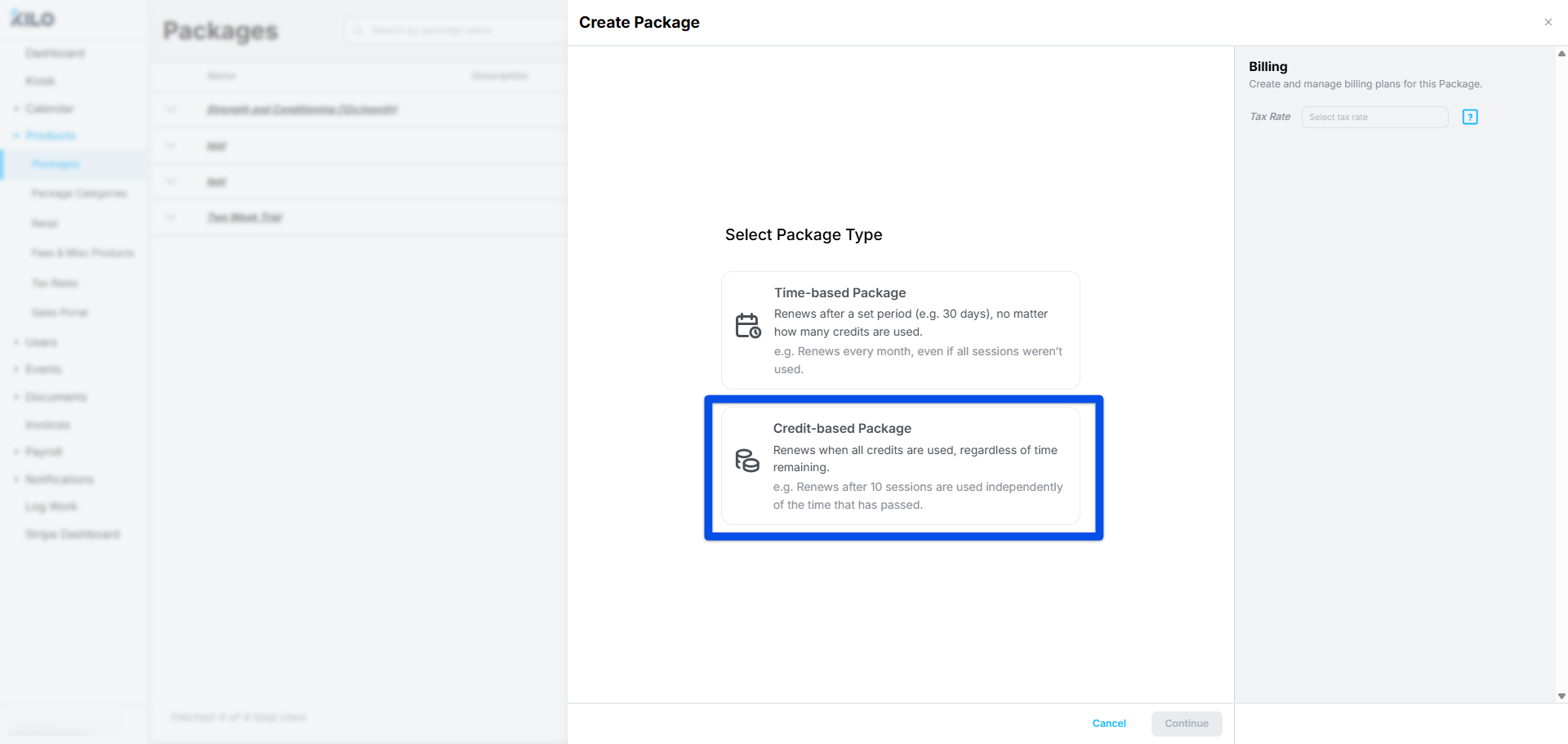
Select Credit-based Package, then click Continue.
Enter a Name. This is what athletes see, so name it the way you would describe it at the front desk.
Add a Description if you want more detail to appear alongside the name.
Select a Package Category. This is required, so set up at least one category before you build your first package.
Set Auto Renew to On if the package should renew once the credits run out, or leave it Off to have it end at that point.
Set Allow Athlete Click-to-Cancel in the Athlete App to control whether athletes can cancel this package themselves.
Attach a Contract if this package requires one, and turn on Generate new contract upon package renew if a fresh contract should be issued at each renewal.
Set Athlete Status for Upon Start and Upon End. Both default to No status change and are set independently.
Set your attendance rules
Attendance Rules are where you grant access to Events and decide how many credits the athlete gets. All credits dispense at once when the package starts. There is no repeating cycle and no per-rule validity, so each rule is a straightforward count of sessions.
For each rule:
Select the event types this rule covers. The field holds more than one, so a mixed pack can draw on several event types from a single rule.
Set Attendance to a number of Sessions, or click the infinity button for unlimited.
Use the + button to add another rule when a package needs separate counts for different event types.
When your rules are set, click Next to move on to billing.
Billing on a credit-based package
Billing plans are added in the Billing panel on the right, alongside the Tax Rate. Each plan has a Plan Name, a Total Price, and a # of Installments.
Adding installments to a billing plan could cause invoices to remain after all credits are used. You will note this warning in the Billing Plan: This plan includes multiple installments; keep in mind that renewal may happen before all payments are complete.
Session Value is calculated for you from those two numbers and cannot be edited directly. A $15.00 plan on a 1-session pack shows a session value of $15.00. This is the figure commission-based pay rates are calculated from, so it matters if you pay any coach a percentage of session revenue.
A package can carry more than one billing plan, which is how you offer the same pack at different prices.
Frequently asked questions
What is the difference between a credit-based and a time-based package?
A credit-based package renews once every credit has been checked in, and a time-based package renews after a set period of time. A time-based package renews on schedule even if the athlete did not use all of their sessions. A credit-based package has no time component at all, so it stays open until the sessions are used.
Do credits expire?
No. A credit-based package has no validity period, so credits do not expire. The package stays active until the athlete has checked in for every session in it. If you need sessions to expire on a date, build a time-based package instead.
Does booking a session use up a credit?
No. A credit is consumed at check-in, not at reservation. An athlete can reserve every remaining session in advance and the package will not renew until they have actually attended them.
An athlete used their last credit. Why hasn't the package renewed yet?
Renewals on credit-based packages are processed during Kilo's nightly updates. The renewal appears the following day rather than the moment the athlete checks in.
What happens if Auto Renew is off?
The package ends once the last credit is checked in. Use this for trial packs, guest passes, and anything you intend to sell once.
Can one attendance rule cover more than one type of Event?
Yes. The event field on each rule holds several event types at once. That is how a mixed pack works, where the athlete draws from one pool of credits across a few different events. Use separate rules when each event type needs its own count.
Can I set a start date or a package length on a credit-based package?
No. Total Package Length, Validity, Delay Start, and Set Specific Start Date are time-based settings only. A credit-based package begins when the athlete gets it and runs until the credits are gone.
Can I use proration or a follow-up package with a credit-based package?
No. Proration and Include Follow-up Package are available on time-based packages only.
How can I tell whether a package is credit-based or time-based?
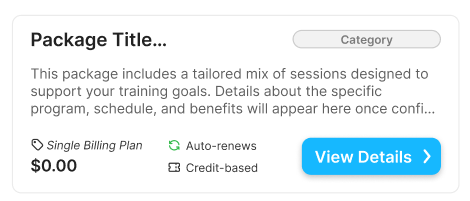
The Sales Portal shows the package type. This is worth checking when you have both types in your catalog and the names alone do not make the difference obvious.
Helpful tips
Create your package categories before you build your first package. The field is required and the list starts empty.
Build your Events first. Every attendance rule points back to an Event type.
Name credit-based packages so the count is in the name, such as a 10-session pack. It saves the front desk from checking the Sales Portal.
Leave Auto Renew off on anything you intend to sell once, such as a trial pack or a guest pass.
Use one rule with several event types for a mixed pack, and separate rules when each event needs its own count.
Check Session Value before you save if you pay commission. It is derived from the total price and the session count, so changing either one changes what coaches earn.
When credit-based packages are most helpful
Selling personal training in blocks of sessions
Offering a punch-card style pack for drop-in athletes
Serving members whose schedules vary week to week
Running a mixed pack that spans several event types from one pool of credits
Avoiding the manual work of extending or renewing packages early when athletes finish their sessions ahead of schedule
If you have questions about credit-based packages in Kilo GMS, our Support team is happy to help. Reach us at hello@usekilo.com.