


The Class Utilization Report in Kilo GMS shows how your classes and coaches are performing, including how many athletes attend, cancel late, or do not show up. Use it to make decisions about your schedule, staffing, and programming.
What you can do with the Class Utilization Report
See which classes are most and least popular
Compare performance across coaches and time slots
Track attendance, no-shows, and late cancellations
Follow usage trends over time
Download the report as a CSV or Excel file
Getting to the report
On your Kilo GMS Dashboard, click Total Classes Last Week. The report opens with the date range set to Last Week.
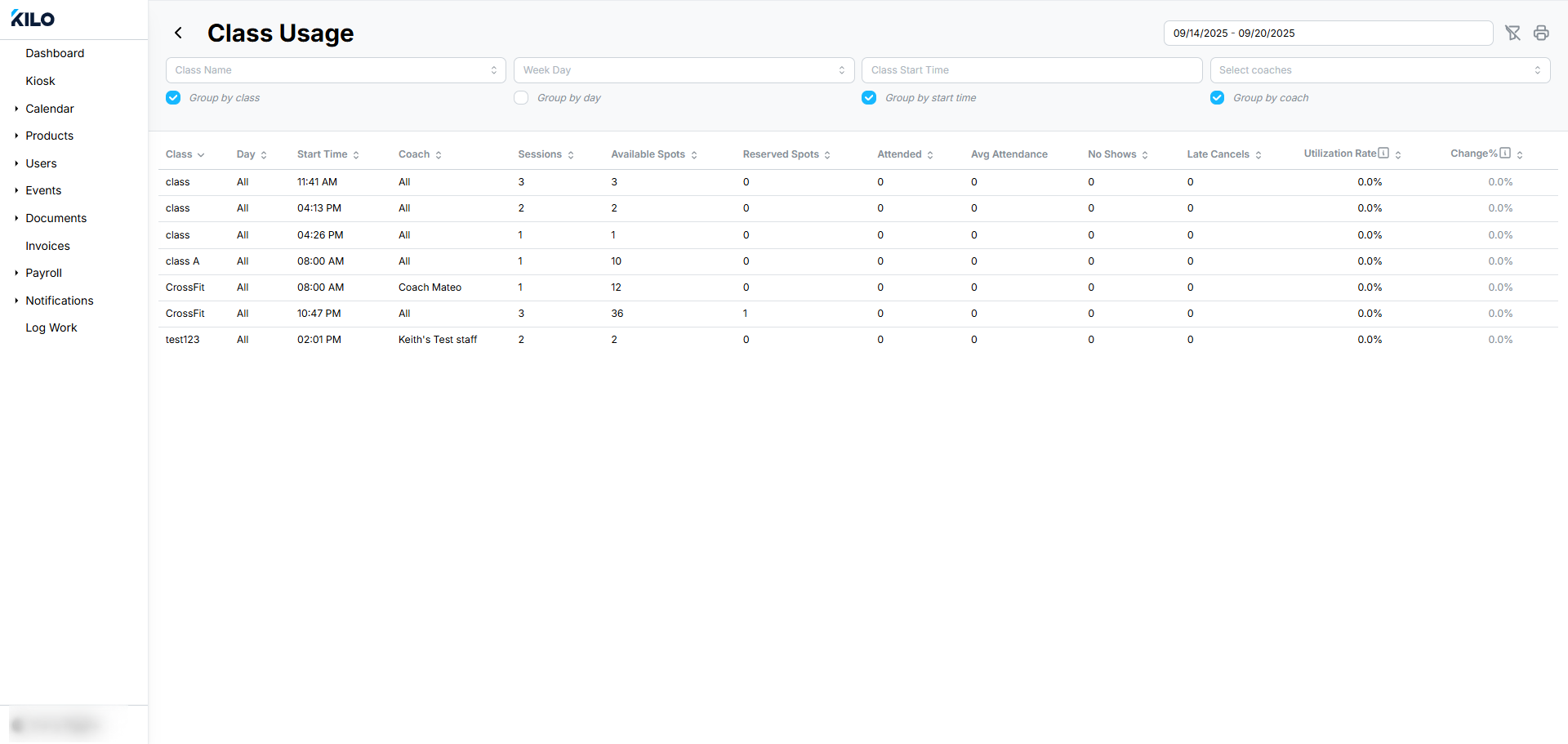
Group the report
Groupings control how the report is organized. Each grouping you turn on adds another level of detail. All grouping options are turned on by default, and you can toggle each one on or off.
Filter the report
Use the filters at the top of the report to narrow the results:
Date Range: a range selector
Class Name: a dropdown where you can select more than one class
Weekday: a dropdown where you can select more than one day
Class Start Time: a range selector
Coach Name: a dropdown where you can select more than one coach
% Change: compares the utilization rate to the previous period
Click Refresh Filters to reset your selections. Click Download Report to export the results as a CSV or Excel file.
What does % Change measure?
% Change compares a class's utilization rate for the selected date range to the period before it. Use it to see whether attendance for a class, coach, or time slot is rising or falling.
Where do the attendance numbers come from?
The Attended, No-Shows, and Late Cancels figures come from the attendance recorded for each event in Kilo GMS. Check athletes in consistently so these numbers reflect what happened in each class.
When this feature is most helpful
Deciding which classes to add, move, or retire
Planning coach coverage based on class performance
Spotting classes with high no-show or late cancellation rates
Reviewing how attendance changes over time
If you have questions about the Class Utilization Report in Kilo GMS, our Support team is happy to help. Reach us at hello@usekilo.com.