


Your Kilo GMS Dashboard includes two revenue distribution charts that break down your month-to-date revenue. The Package Revenue Distribution (MTD) chart shows revenue by package, and the Package Category Revenue Distribution (MTD) chart shows revenue by program, such as Personal Training, Group Training, or Nutrition.
What you can do with the revenue distribution charts
See how much of your monthly revenue each package brings in
See how your revenue is distributed across programs
View each breakdown as a percentage and as a dollar amount
Package Revenue Distribution (MTD)
This chart is generated automatically from your package sales. It shows how your revenue breaks down by package, with percentages on the pie chart and dollar amounts in the sidebar. No setup is needed.
Package Category Revenue Distribution (MTD)
This chart shows how your monthly revenue is distributed across your programs. It is especially useful if you sell hybrid packages that combine more than one program, since a single package's revenue can count toward several categories.
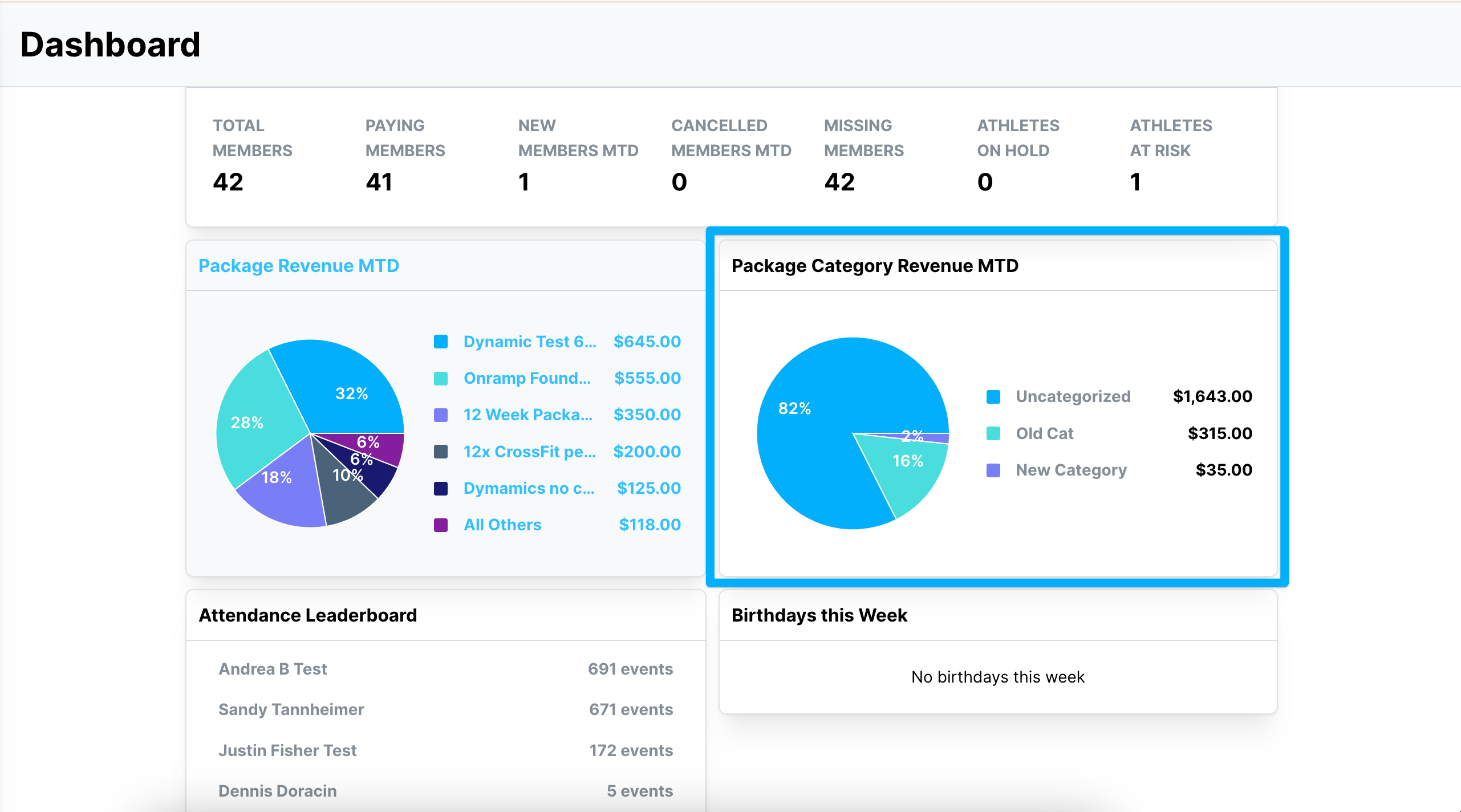
What do I need to set up before using the category chart?
The Package Category Revenue Distribution chart needs revenue categories assigned to your packages. You create categories and assign each package a percentage of its revenue for each one. For the steps, see Set Up Revenue Categories for Packages.
Package vs. category chart: which should you use?
Question you're asking | Chart to use |
|---|---|
Which packages bring in the most revenue? | Package Revenue Distribution (MTD) |
Which programs bring in the most revenue? | Package Category Revenue Distribution (MTD) |
How is hybrid package revenue split across programs? | Package Category Revenue Distribution (MTD) |
If you have questions about revenue distribution reporting in Kilo GMS, our Support team is happy to help. Reach us at hello@usekilo.com.