


You change a package's price by editing its billing plans, not by editing invoices one at a time. Updated pricing flows through to future renewals and new purchases while active packages carry on at the rate the athlete signed up for. Timing is the part that takes thought, because a price change enacted a few days early can reach athletes you meant to leave alone.
What to know before you start
Price changes do not affect invoices tied to active packages.
Updated pricing applies to renewals and to newly applied packages.
A package with more than one billing plan needs each plan updated separately.
Enact the change only after every package meant to stay at the old rate has already started.
Timing a price increase
Work backward from your renewal dates. If you are raising rates for renewals starting next month, wait until every package renewing this month has already begun, then make the change. Anything that starts after you save picks up the new price, so changing rates too early gives an increase to athletes who should have had one more cycle at the old rate.
Change the price on a package
Go to Products → Packages.
Click the package you want to update.
Click Edit Billing Plans.
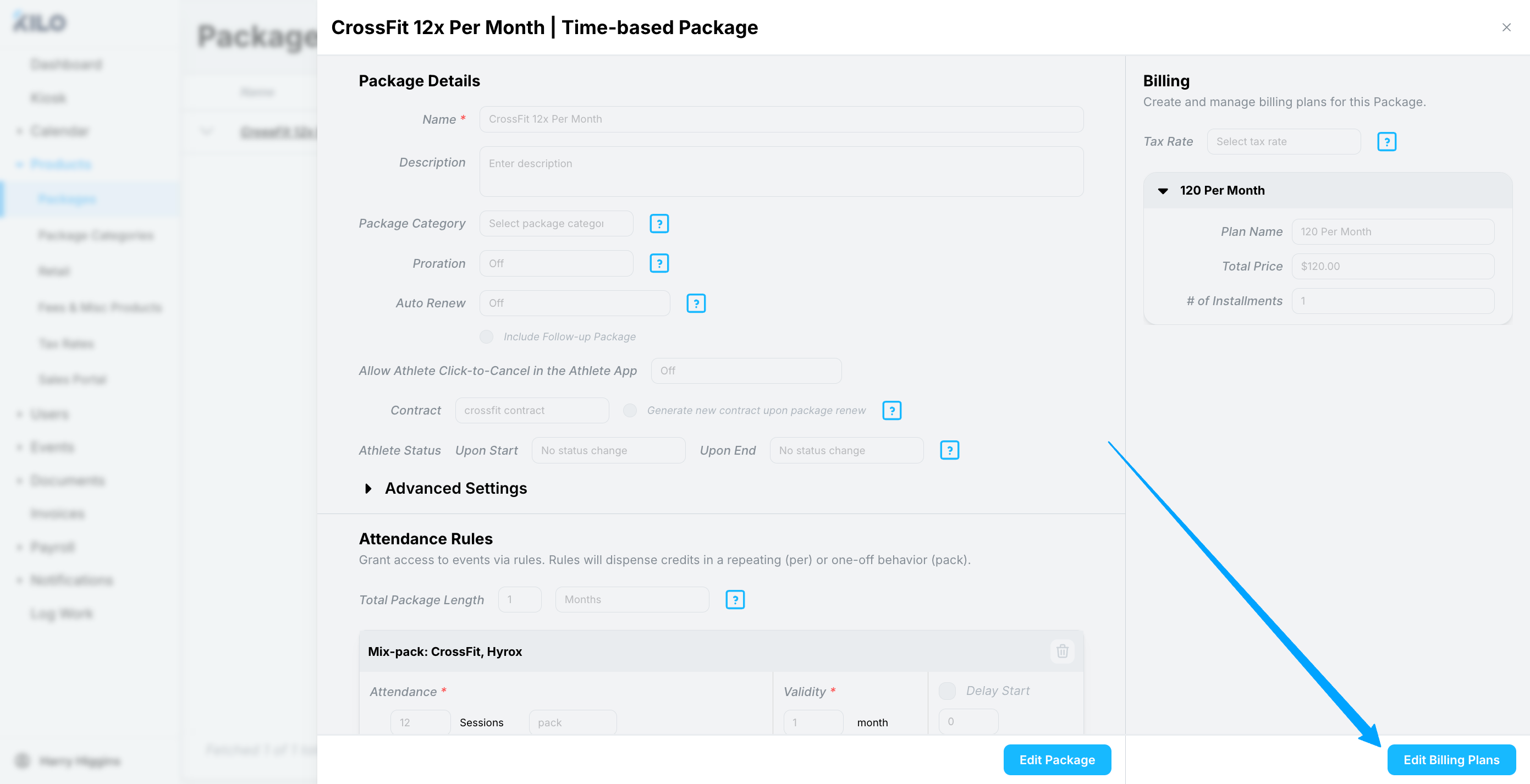
Find the billing plan you want to change.
Click the pencil icon next to that plan.
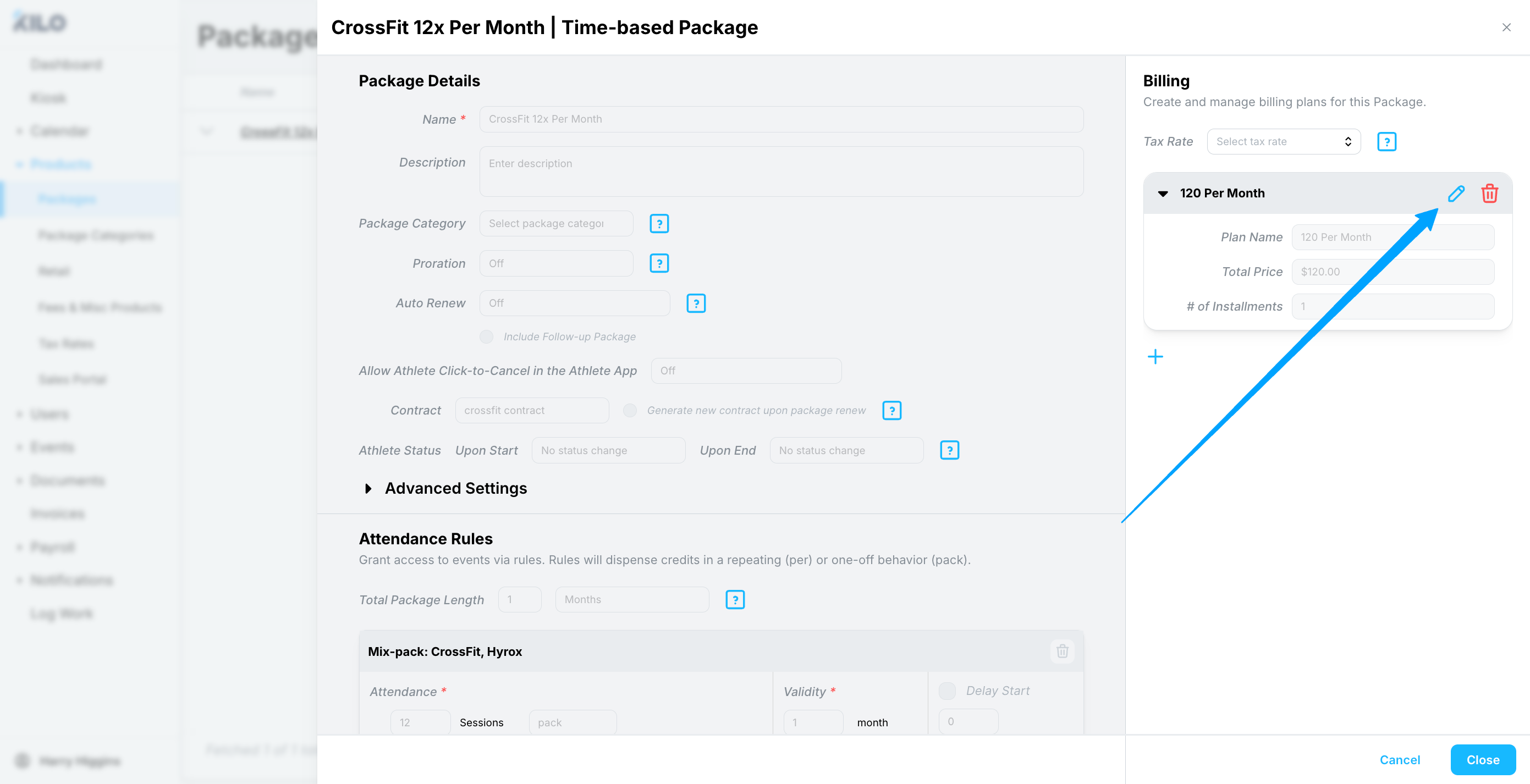
Enter the new billing amount.
Click Save.
Repeat for every billing plan on the package. A package offering a paid-in-full plan alongside an installment plan needs both updated, or the two will fall out of step with each other.
When the new price takes effect
After saving, Kilo shows an alert confirming that edits to the billing plan will not modify active packages attached to athletes, and that the changes take effect at the next renewal.
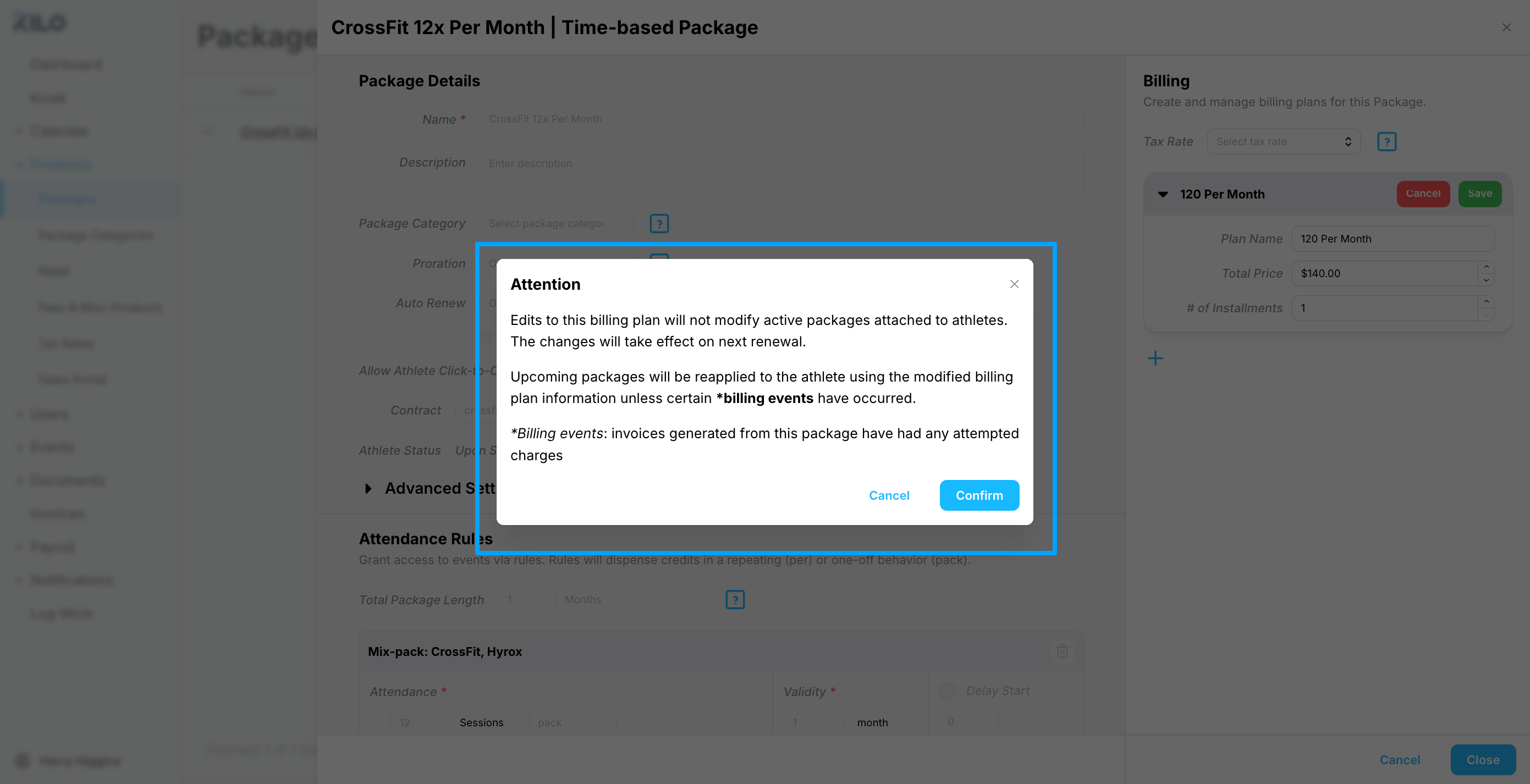
There are three different outcomes depending on where an athlete's package sits:
Package state | What happens |
|---|---|
Active, already started | Unchanged. Every scheduled invoice stays at the old price, including invoices dated after the change. |
Upcoming, scheduled but not started | Reapplied to the athlete at the new price, unless a billing event has already occurred on it. |
New purchases and renewals | The new price applies. |
A billing event means an invoice generated from that package has had a charge attempted against it. Once that has happened, the upcoming package keeps its original pricing rather than picking up the change.
The middle row is the one worth checking. If you have packages scheduled to start in the next few days, confirm whether any of them have already had a charge attempted before you assume the new price will apply.
Packages on long-term installments
An athlete on a long-term package, such as a 12-month package paid in installments, has invoices tied to their active package. Those invoices are fixed.
The new price does not apply until the package fully renews.
Every scheduled invoice on the active package stays at the old rate, even the ones dated well after the price change.
For a 12-month installment plan, that can mean the better part of a year at the old price. Plan your increase around when those packages actually renew rather than around the calendar.
Apply new pricing before a package renews
If you need the new price to take effect sooner, you have two options.
Manually edit the upcoming invoices connected to the active package. This leaves the package itself alone and adjusts only the amounts.
Alternatively, cancel the athlete's current package early, then schedule a new package at the updated pricing set to start on their regular billing cadence.
Cancelling an active package to reprice it affects the athlete's access and their billing schedule. Confirm the new package is scheduled and starts on the right date before cancelling the old one, and tell the athlete what is changing.
Frequently asked questions
Why are my athletes still being charged the old price?
Active packages keep the price the athlete started on. The new price applies when their package renews. If someone is on a long-term installment plan, that renewal may be months away, and every invoice until then stays at the old rate.
I have a package scheduled to start next week. Will it use the new price?
Usually yes. Upcoming packages are reapplied at the new price. The exception is a package that has already had a charge attempted on one of its invoices, which keeps its original pricing.
Do I have to update every billing plan on a package?
Yes, each one separately. A package with three billing plans needs three edits. Updating only one leaves the others at the old rate, which shows up later as athletes on the same membership paying different amounts.
Can I change the price for one athlete without changing the package?
Edit their upcoming invoices directly rather than editing the billing plan. Billing plan edits reach everyone who buys or renews the package, so they are the wrong tool for a single athlete.
When should I make a price change?
After every package that should stay at the old rate has already started. Anything starting after you save picks up the new price, so the safe window is immediately after your current cycle's packages have begun.
Does changing a price affect anything besides the amount?
No. Editing a billing plan's price changes the amount and nothing else. Attendance rules, session counts, and validity are edited separately and follow their own timing rules.
Helpful tips
Make the change right after your current cycle's renewals have processed. That is the widest safe window you will get.
List every package and every billing plan that needs updating before you start, so nothing is left behind at the old rate.
Check for packages scheduled to start in the next few days before saving, since those may or may not pick up the new price.
Audit long-term installment packages separately. They will sit at the old price the longest and generate the most questions.
Tell athletes about an increase before their renewal rather than letting the invoice do it.
If you have questions about price changes in Kilo GMS, our Support team is happy to help. Reach us at hello@usekilo.com.