


Kilo users may want to change the email address they use to log in to Kilo. For security reasons, gym owners and staff cannot edit the email address of other users once the user profile has been activated.
Follow the steps below to update your login email address for Kilo:
Log in to Kilo via the mobile app or app.usekilo.com
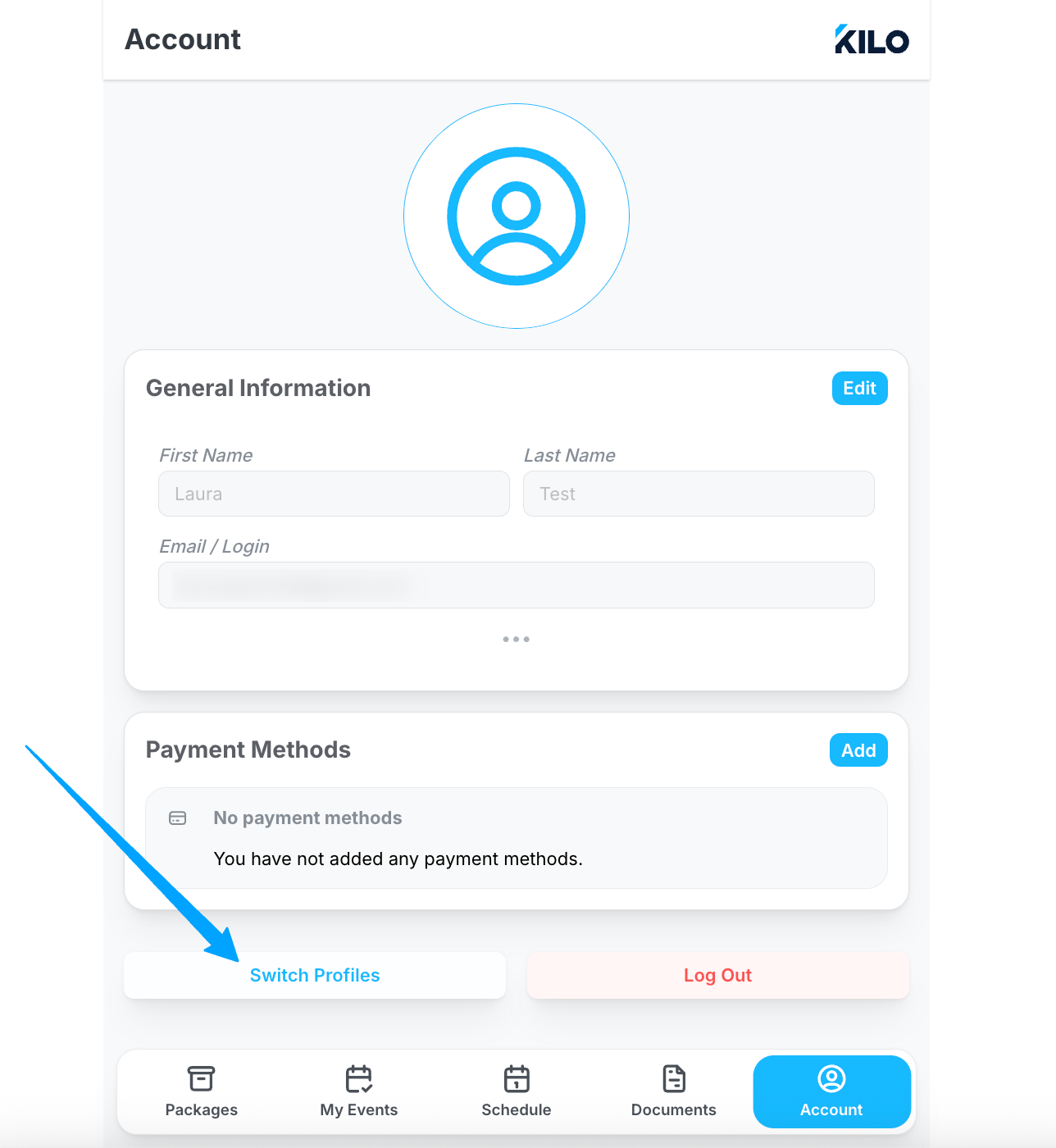
Navigate to Account
Click to Switch Profiles
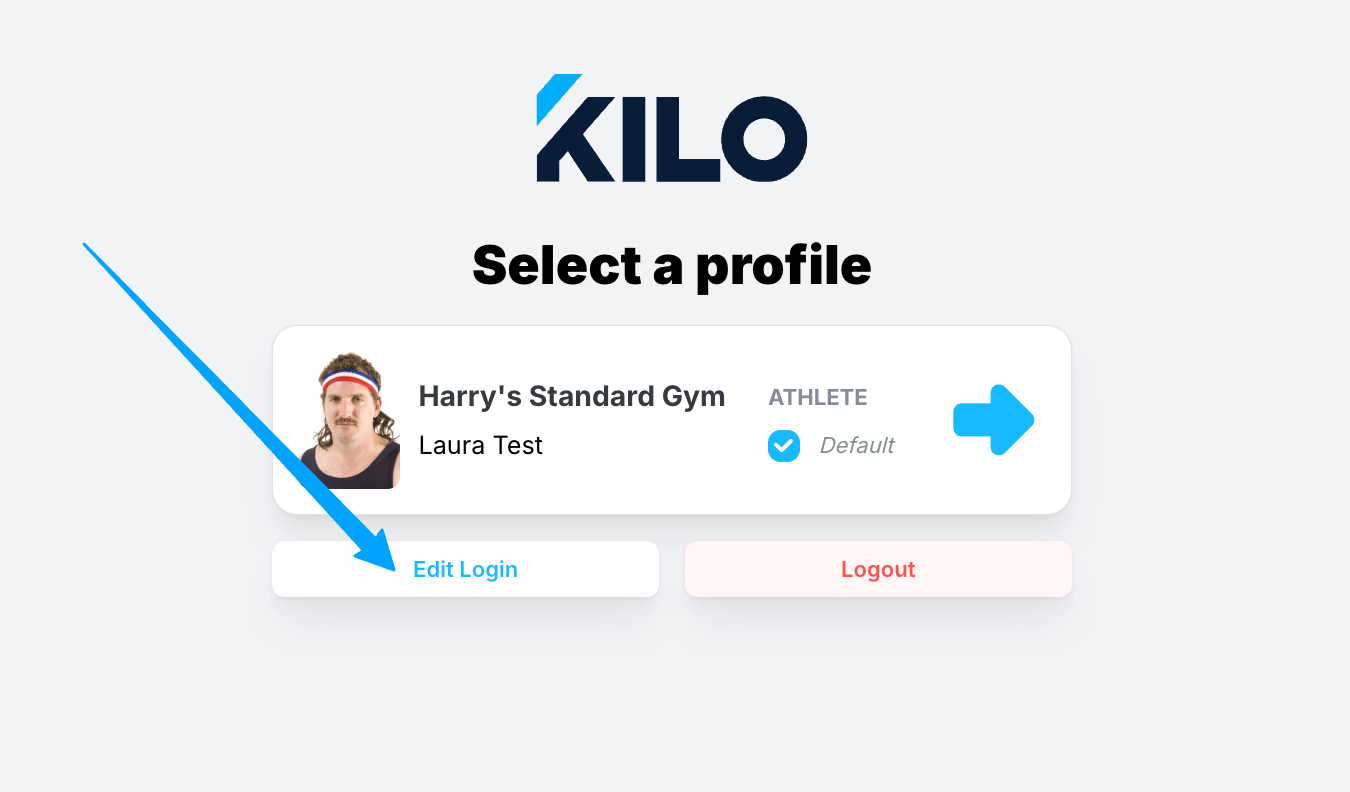
On the login screen, click to Edit Login
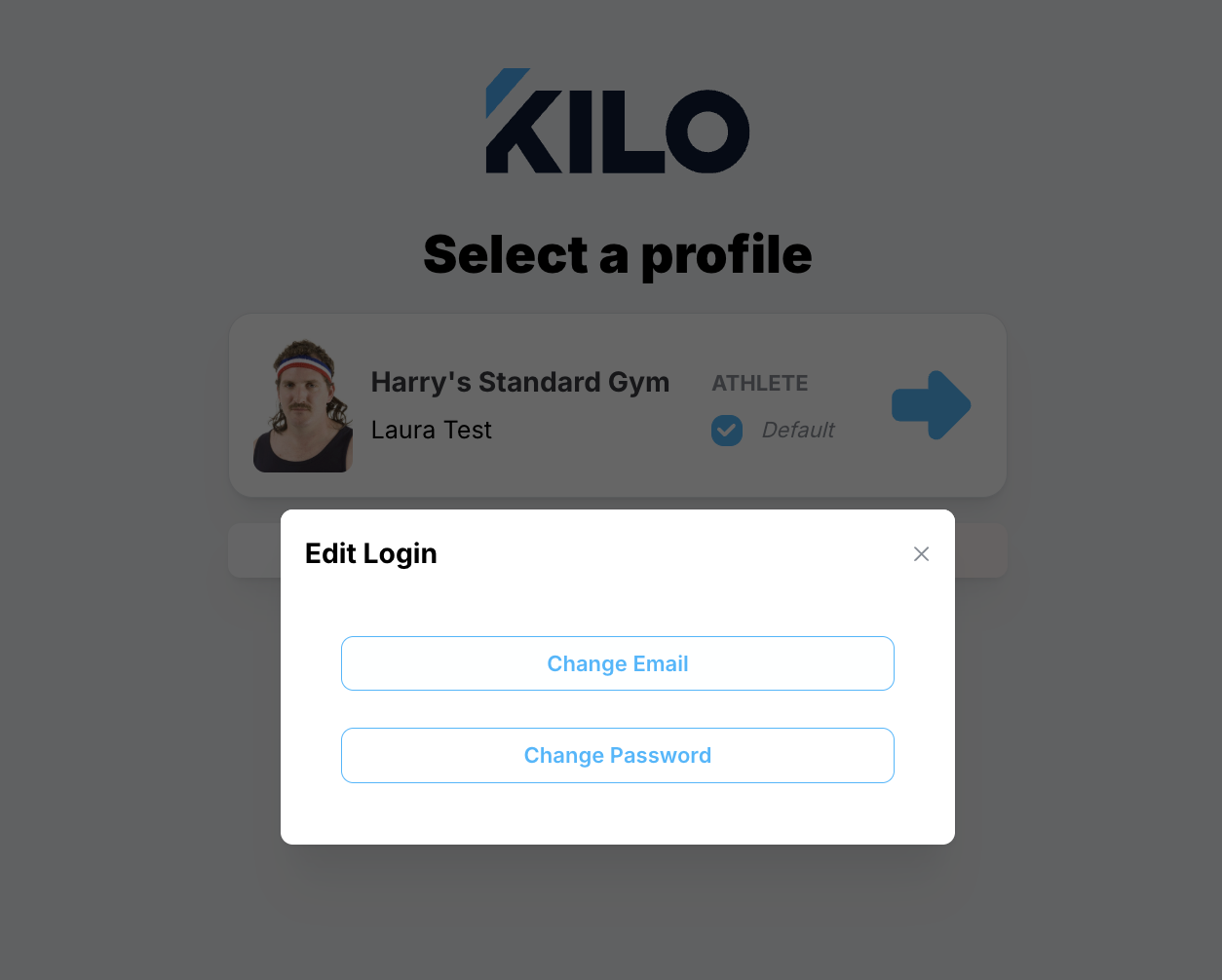
Select to Edit Email
Enter your current and new email address
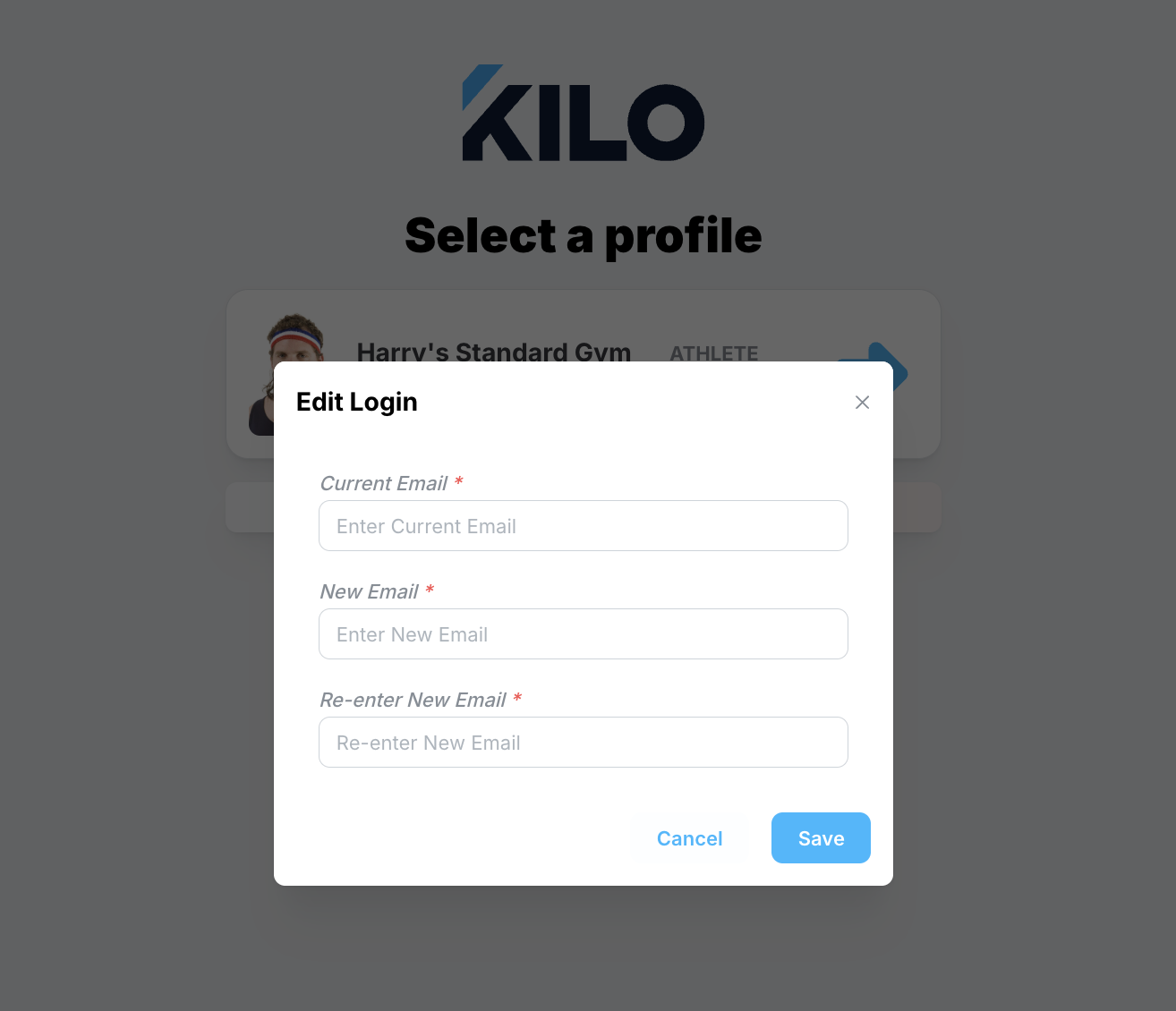
Save