


Before you can run paid ads for your gym, your Facebook Page and your ad account both need to be set up correctly inside your Meta business portfolio. This article covers adding your Page, confirming who controls it, requesting access if someone else does, and creating a business ad account.
Paid ads management is not on the Kilo menu, so we partnered with someone who does it properly. Colm at wedoyourpaidmarketing.com is our trusted paid ads partner and the expertise behind these articles. Need advertising connected to your Gym Lead Machine account? Email hello@usekilo.com. Want to talk about Meta Business Manager, ad accounts, or actually getting ads running? Reach out to Colm.
What you need to set up
Your Facebook Page, added to your business portfolio
Admin access to that Page, requested from its current owner if you do not already have it
An ad account, ideally a business ad account rather than a personal one
A payment method attached to the ad account
Add your Facebook Page to your business portfolio
Go to https://business.facebook.com/latest/settings.
Click Pages in the left menu.
Check whether your Page is listed. If it is, nothing further is needed here.
Click Add in the top right corner if your Page is not listed.
Select Add an existing Facebook Page.
Enter your Page name and select your Page.
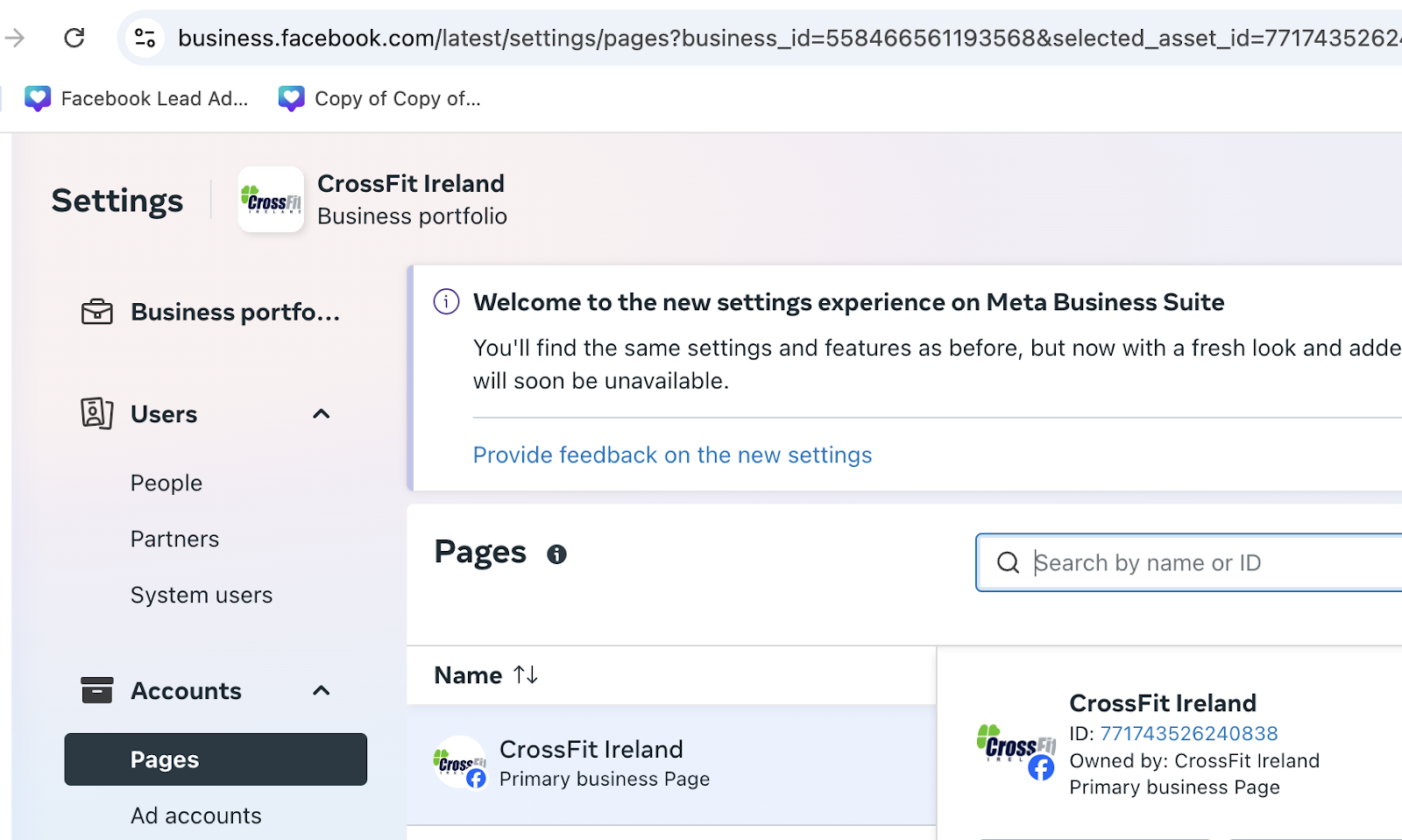
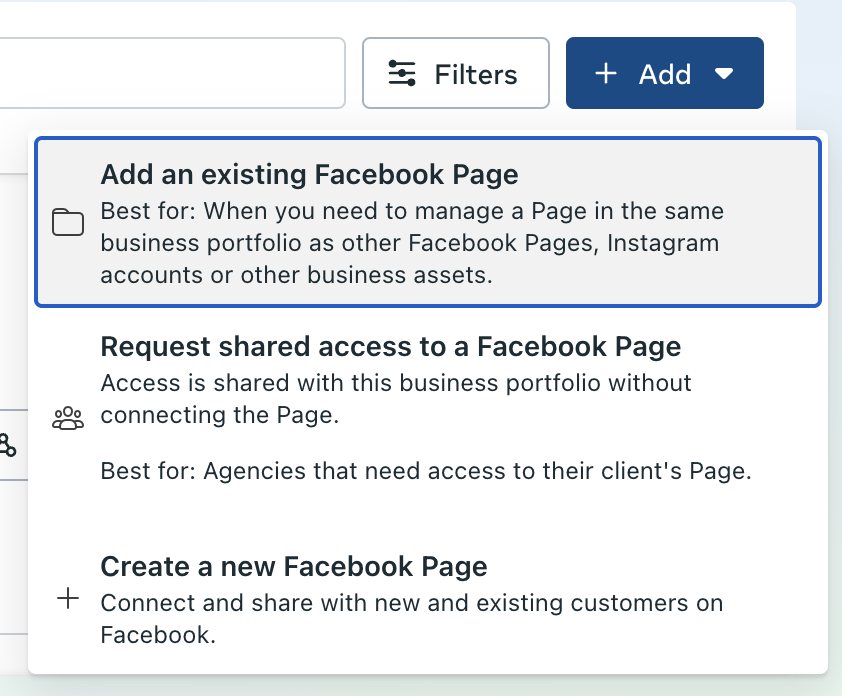
If you cannot add your Page, it is likely under the control of another business portfolio. Check who controls it before going further.
Check who controls your Page and request access
Go to Facebook.com.
Click your profile picture in the top right corner and switch to your Page identity.
Go to https://www.facebook.com/settings/?tab=profile_access.
Review who has access to the Page.
Email the admin of the business portfolio that owns your Page if you are not an admin yourself.
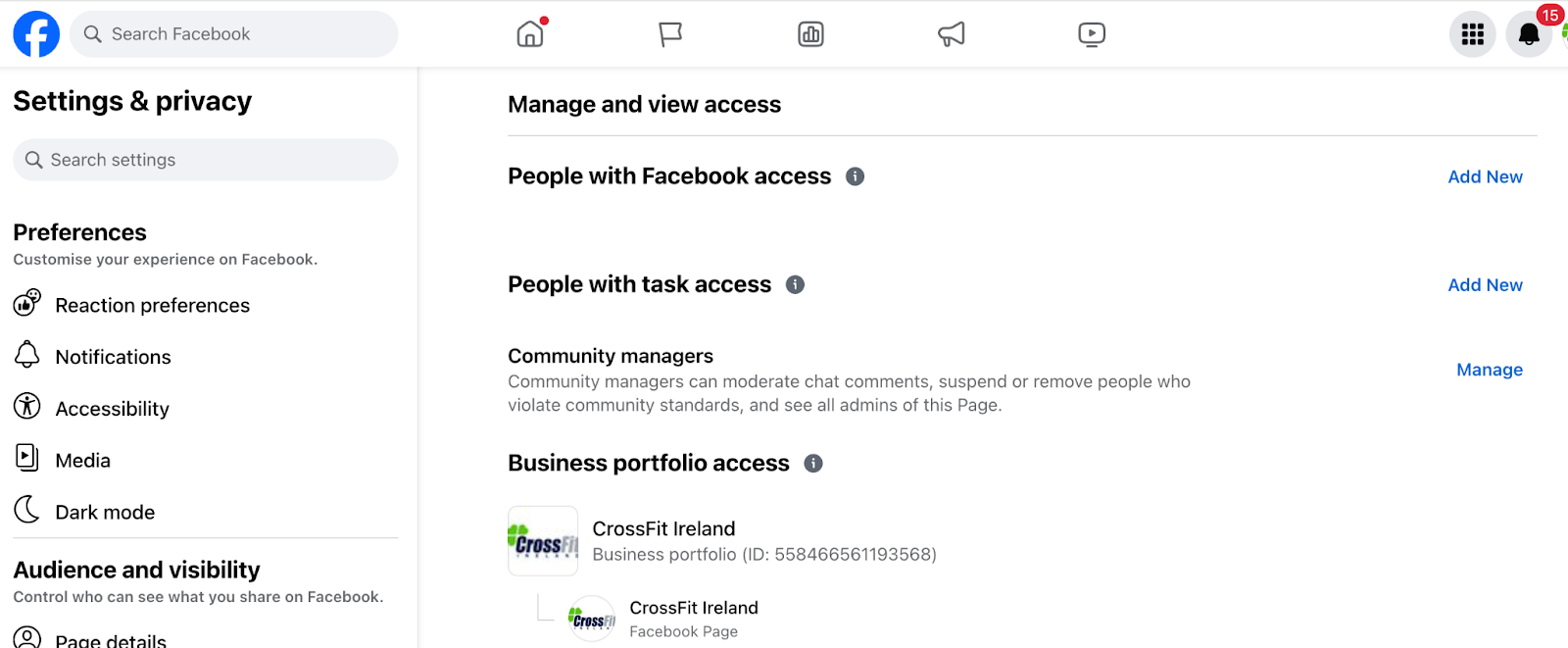
Send the admin a message covering the following, replacing the placeholders with your own details:
Subject: Meta Business Account Access
Go to https://business.facebook.com/latest/settings using Business ID BUSINESS ID and Business Name BUSINESS NAME.
Check that PAGE NAME appears under Assets, then Pages.
Under People, add YOUR NAME as an admin.
Please give YOUR NAME admin access to PAGE NAME and to any ad accounts associated with this account.
Sometimes nobody has access to the business portfolio at all. You can still run ads in that situation as long as you have Page access. If you can switch into your Page's profile on Facebook, you have access.
Set up your ad account
Go to https://business.facebook.com/latest/settings/ad_accounts to check the status of an existing ad account or to create one.
Click the Add button on the right.
Select Create new ad account to make a new one, or Request to share an ad account to bring in your personal ad account.
Follow the steps to create the ad account.
Add your payment method.
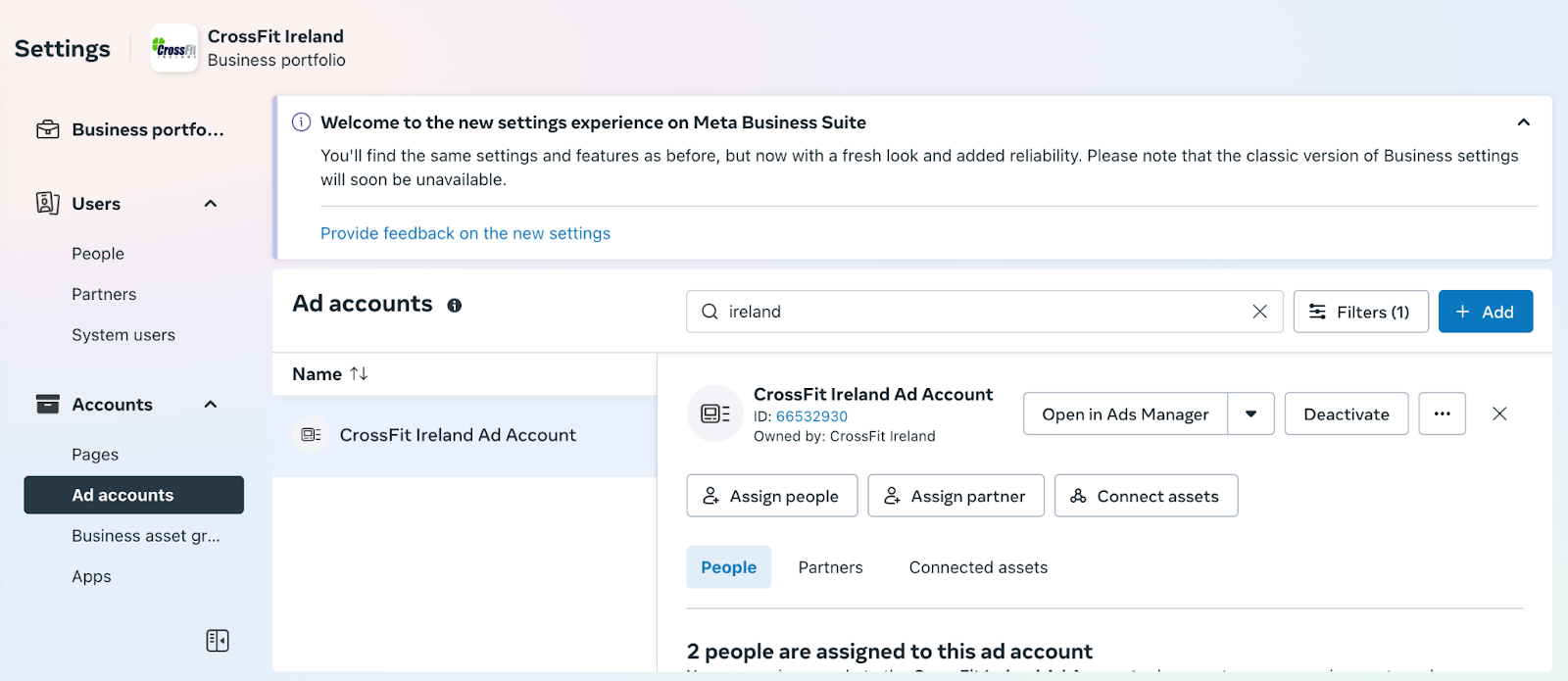
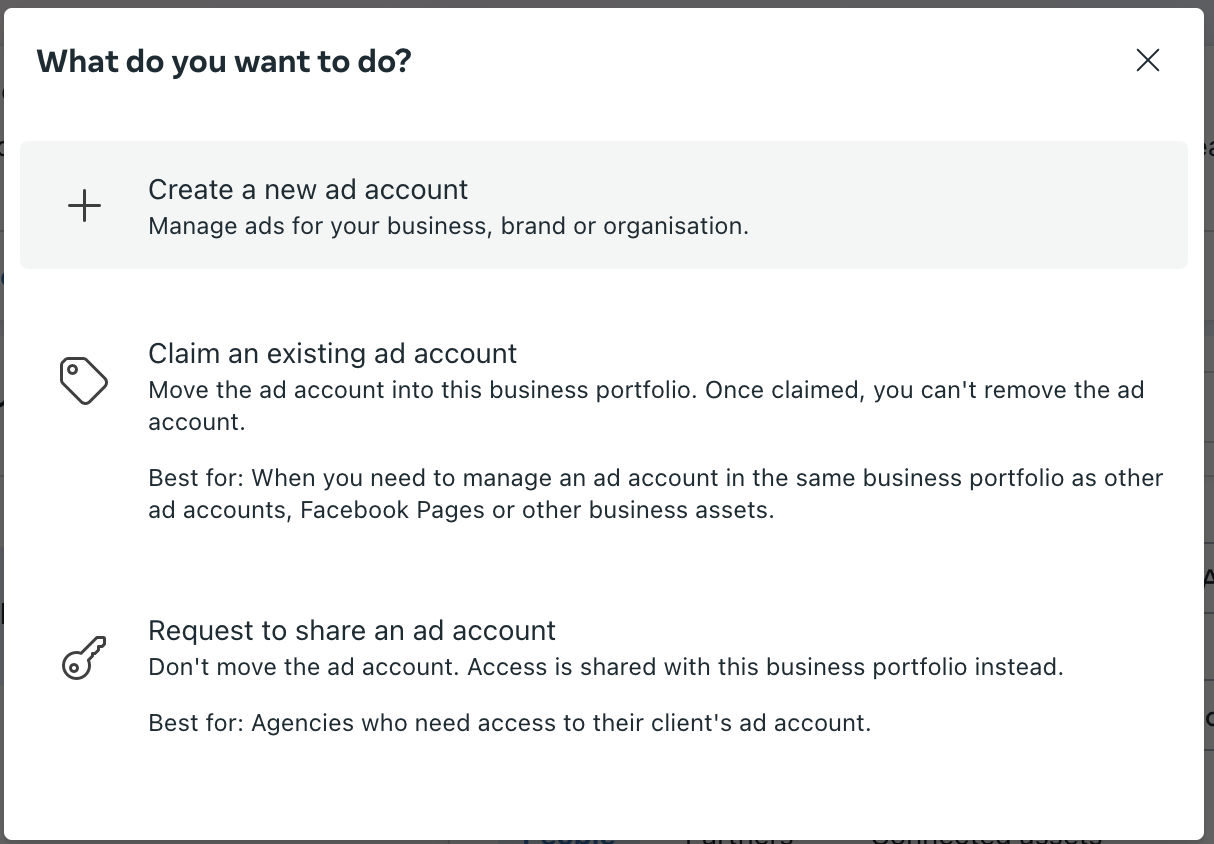
Business vs. personal ad accounts: which should you use?
A business ad account is recommended.
Consideration | Business ad account | Personal ad account |
|---|---|---|
Separation from your personal accounts | Kept separate, so it stays active if your personal account is hacked, banned, or deleted | Tied to your personal account |
Multiple people managing it | Several people in your business can manage it | Limited to you |
Inviting collaborators such as an ad agency | Straightforward | Harder |
Frequently asked questions
My Page is not listed and I cannot add it. Why?
Your Page is most likely controlled by another business portfolio. A Page can only sit in one portfolio at a time, so you will need admin access from whoever currently owns it. Switch into your Page identity on Facebook and check the Page access settings to see who that is.
Nobody has access to the business portfolio that owns my Page. Can I still run ads?
Yes, as long as you have access to the Page itself. If you can switch into your Page's profile on Facebook, you have the access you need to run ads, even when the business portfolio has no active admin.
Should I use my personal ad account or create a business one?
Create a business ad account. It stays active independently of your personal account, several people in your business can manage it, and it is easier to give an agency or collaborator access. You can also bring an existing personal ad account in using Request to share an ad account.
The screens do not look like the examples. Am I in the right place?
Probably yes. Meta regularly tests different versions of its platform, so layouts vary between accounts. Work from the option names rather than the screen layout.
Helpful tips
Confirm who controls your Page before trying to add it, since that is the most common reason the step fails
Create a business ad account rather than using a personal one, even if you are the only person running ads
Ask the portfolio admin for access to both the Page and any associated ad accounts in the same message, so you are not waiting twice
Add your payment method as part of ad account setup rather than coming back to it later
Work from option names rather than screen positions, since Meta's layouts vary
If you have questions about connecting your advertising to your Gym Lead Machine account, our Support team is happy to help. Reach us at hello@usekilo.com. For help with Meta Business Manager itself or with running your paid ads, contact Colm at wedoyourpaidmarketing.com.