


Authentication tokens, which connect your various social media accounts to Gym Lead Machine, expire after a timeframe specified by the social media platform policies. When a token expires, it requires you to reconnect or re-sign into that platform to renew the ability to post to the platform via GLM's Social Planner.
How do I know a token has expired?
When posts fail in the Social Planner, you will typically see a reason in the Failed Posts tab, which includes the mention of an expired token.

How do I reconnect the account?
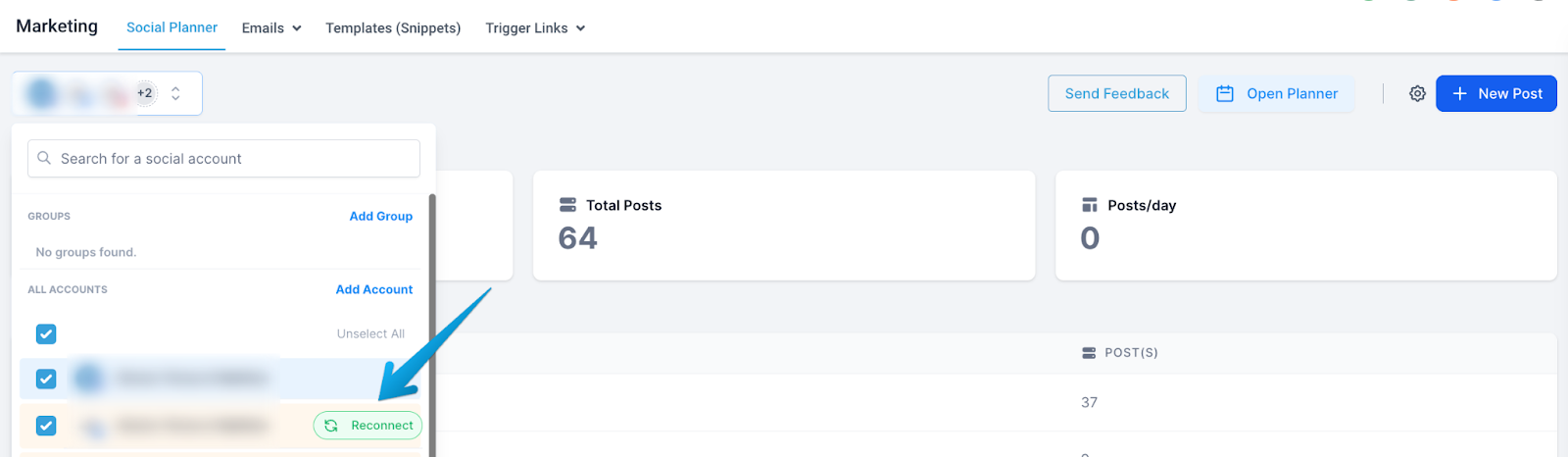
First, try the Reconnect option under the Accounts field in the upper left of your screen.
What if Reconnect doesn't fix it?
At times, the Reconnect flow through your social media account will not address the issue. In those cases, the token needs to be deleted entirely and the account reconnected from scratch.
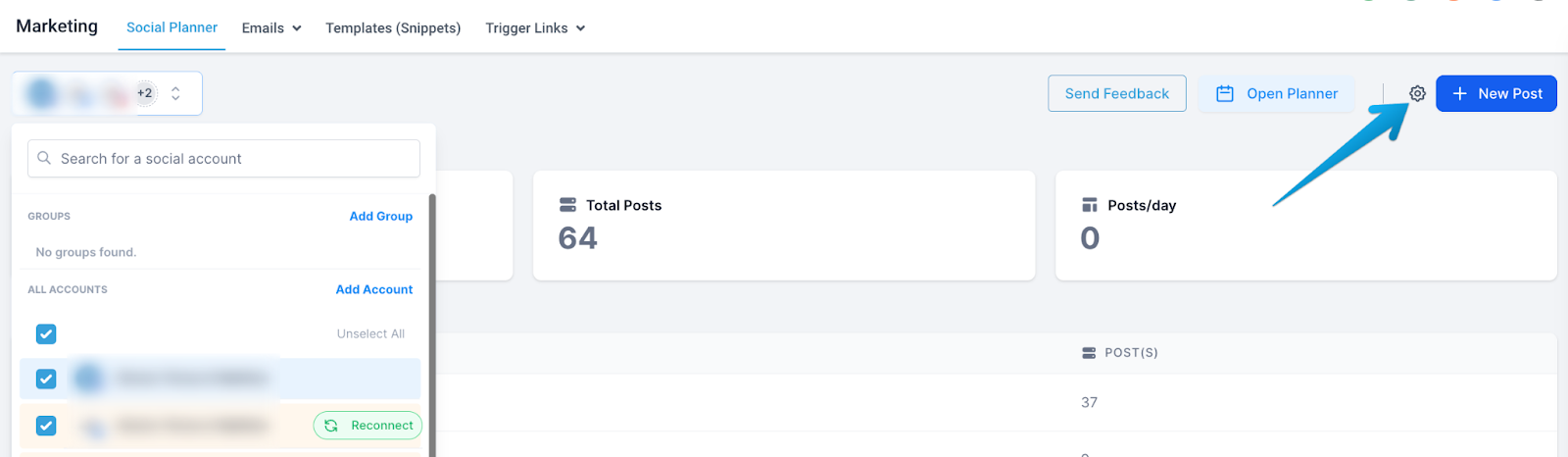
Go to the token settings through the Gear icon.
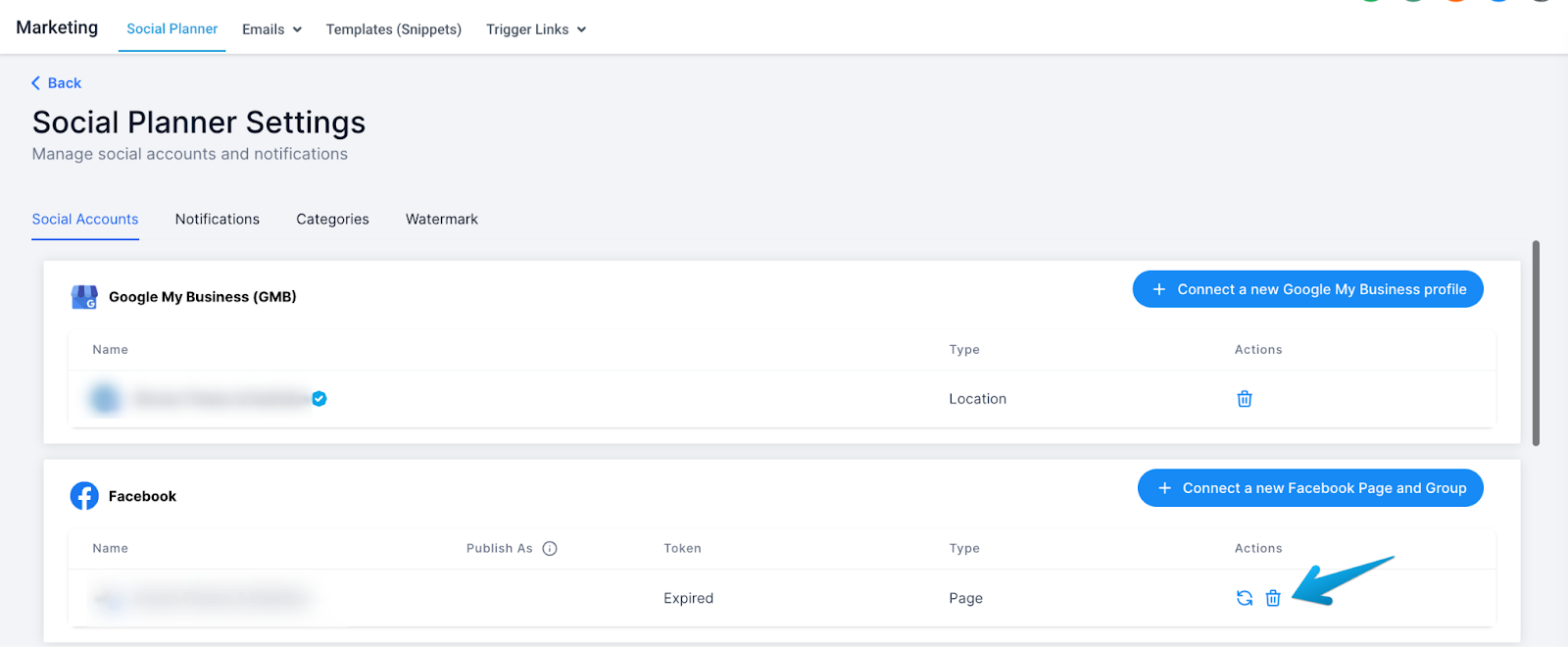
Click the trash can icon to the far right of the disconnected account.
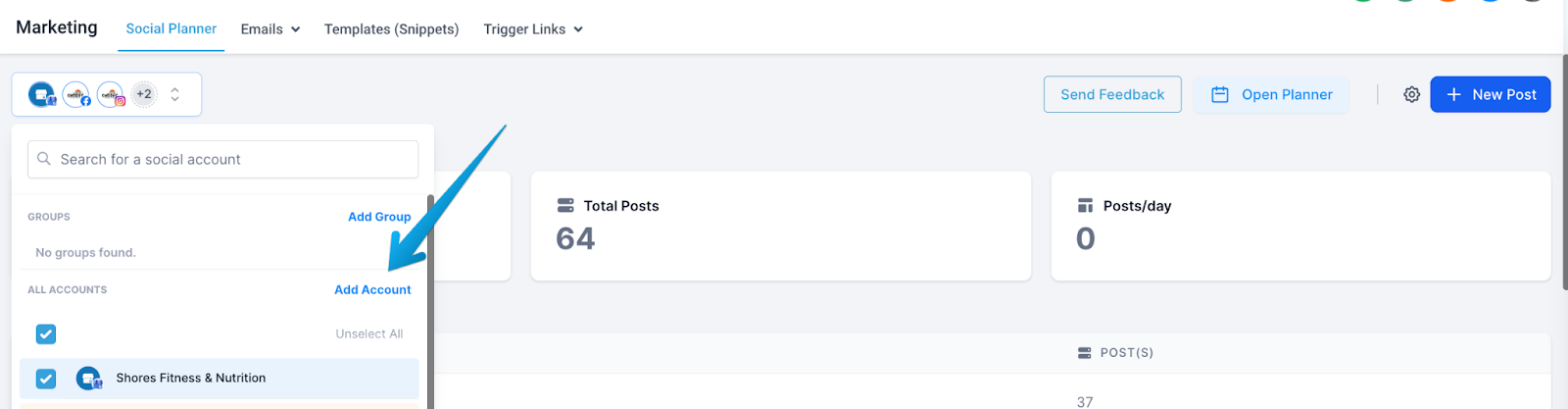
Navigate back to the Social Planner main screen, return to the accounts list, and select Add Account.
Follow the social platform's steps to connect to Gym Lead Machine.
Still can't post?
If you have followed all of these steps (both the Reconnect option and deleting and reconnecting the social platform) without success, please reach out to our Support team at hello@usekilo.com. Be sure to include the details of which social media platform requires attention and what steps you've attempted so far.
If you have questions about social media tokens in Gym Lead Machine, our Support team is happy to help. Reach us at hello@usekilo.com.