


You can connect your personal Gmail email account and sync outgoing & incoming emails between GLM and your personal Gmail accounts.
The sync will be established once an email thread is initiated from within GLM (first outbound message). All the subsequent emails in the thread will sync between GLM and your Gmail email account.
This feature is a user-level setting and does not impact other users in the account.
How to connect
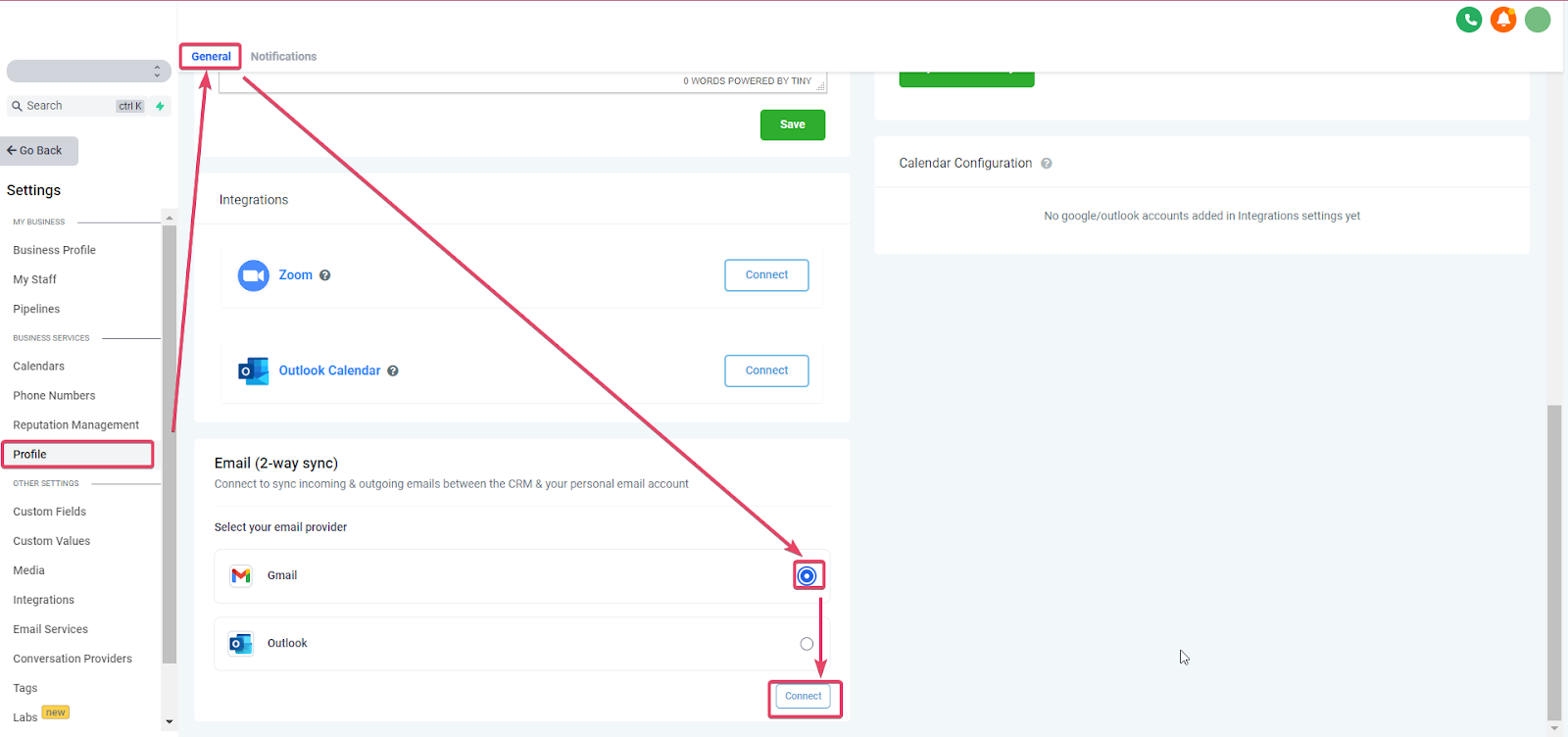
Go to Settings -> Profile -> General tab and scroll down to the section Email (2-way sync)
Once there, select Gmail and hit Connect
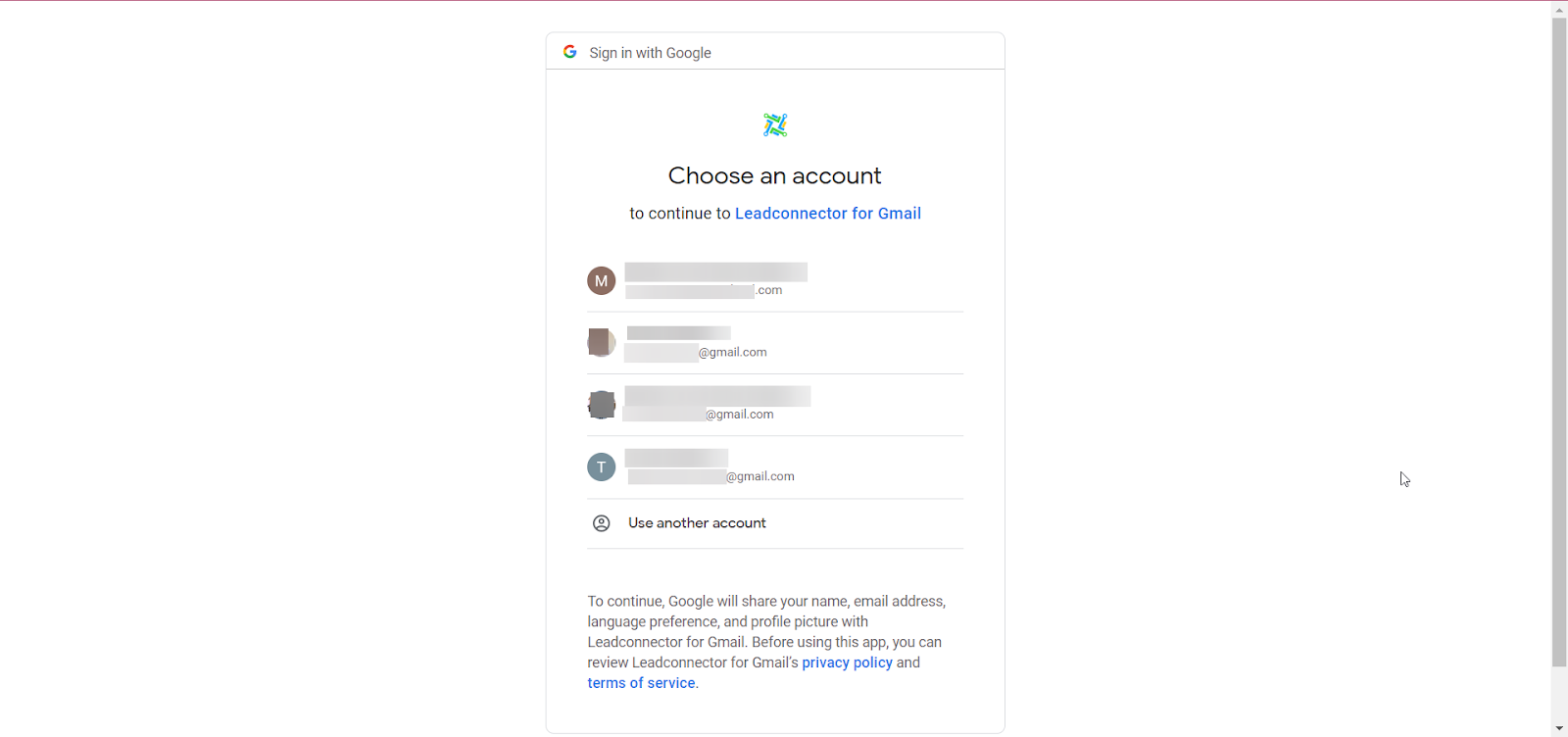
The system will then prompt you to choose one of the available Gmail Accounts in that browser or ask you to connect a Gmail account
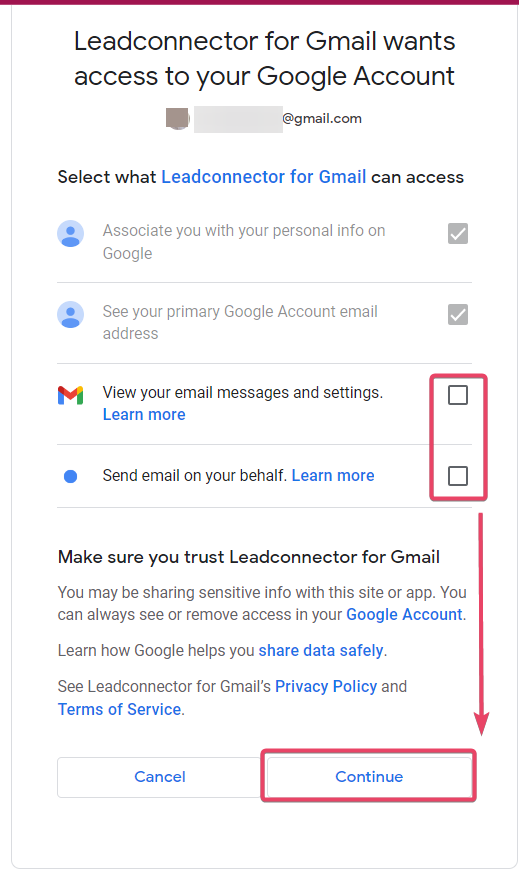
After connecting, it will then ask you about which permissions you are allowing LeadConnector to have on your Gmail account. Make sure to allow all and then hit Continue.
You should now see your desired Gmail account connected in the Email Two Way sync tab:

First, you would need to send an email to a contact from within the GLM platform to initiate the sync between GLM and your Gmail Email.

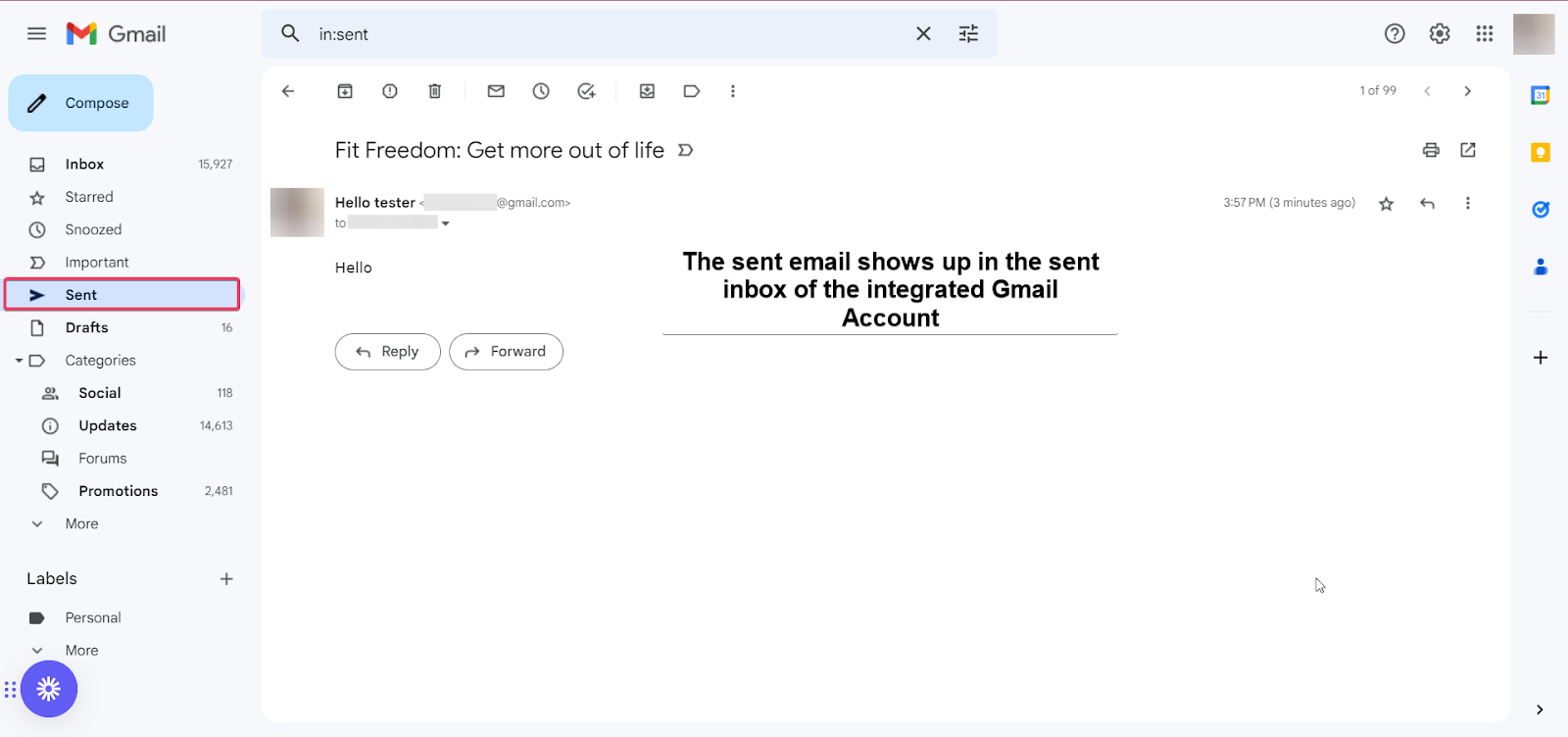
The sent email will appear in the sent inbox of the integrated Gmail account
All subsequent messages in the email thread (initiated from within GLM) will be in sync. Outbound emails from your email will be reflected in GLM and vice versa.

Please Note: The supported attachment size limit for Gmail two-way sync is 25 MB.
Other functionalities
Update Email - This allows you to change your connected email without disconnecting the previous connection.

New outbound emails from GLM will start syncing with the newly added email address. Upcoming messages from the previously connected email (same thread) will stop syncing between GLM & the personal email.
Disconnect Email - This allows you to disconnect your connection and stop syncing with GLM. If you disconnect, emails or messages will not sync between your email and GLM.