


You can delete or merge contacts in Gym Lead Machine to keep your contact list clean, whether you're removing a record entirely or combining duplicate entries for the same person.
Those with Admin access in your Gym Lead Machine platform can delete and merge contacts. Users do not see the delete or merge contact buttons in Contacts.
What you can do
Delete a contact from your account
Merge duplicate contact records into one
Choose which contact and details to keep in a merge
Request help from the Support team with deletions or merges
How do I delete a contact?
Go to Contacts in your GLM platform.
Search for the contact you would like to delete.
Select them by using the checkbox to the left of their name.
Use the trash can icon to delete the contact, and confirm when prompted.
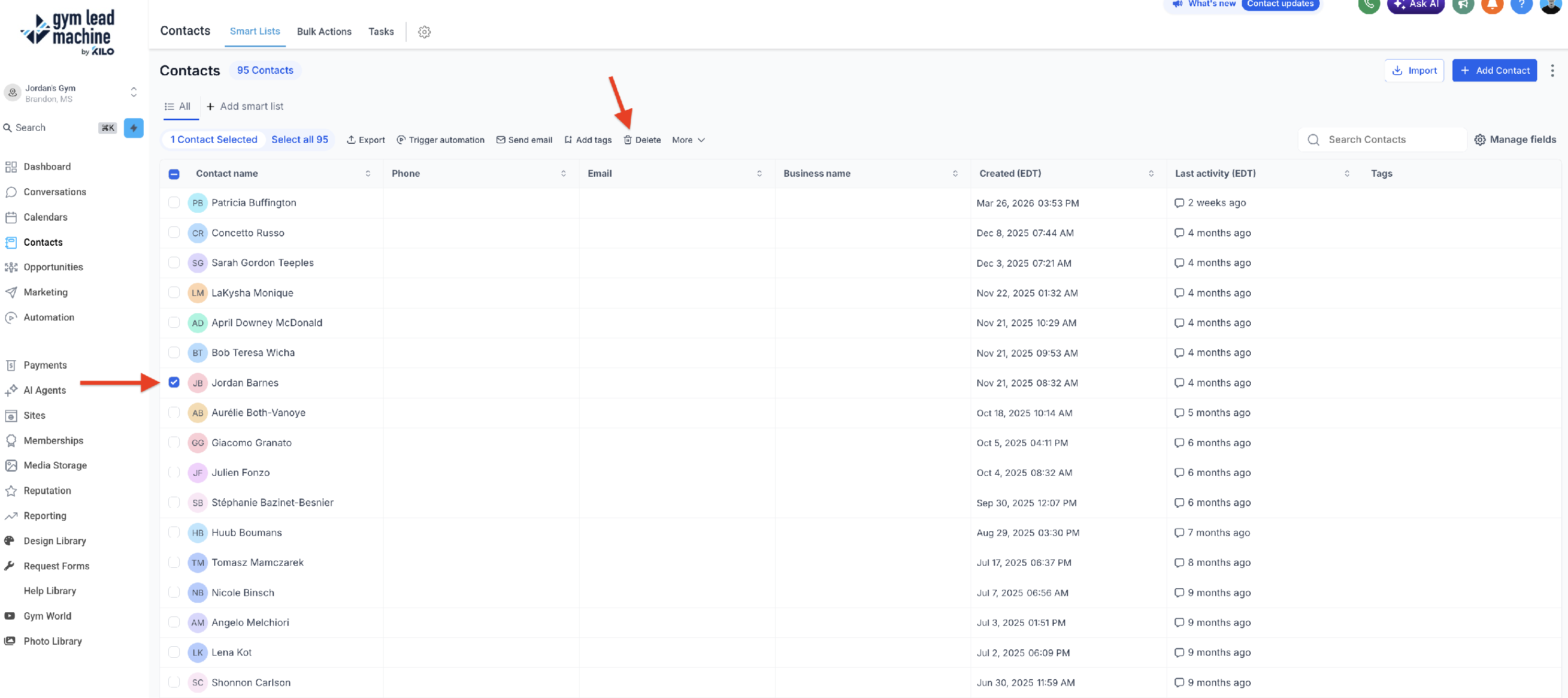
Type "DELETE" in the confirmation box and select the red Delete button.
How do I merge duplicate contacts?
Go to Contacts in your GLM platform.
Search for the contacts you would like to merge.
Tip: If needed, edit the contacts so they have the same name (first and last). This will make it easier to search for them and merge.
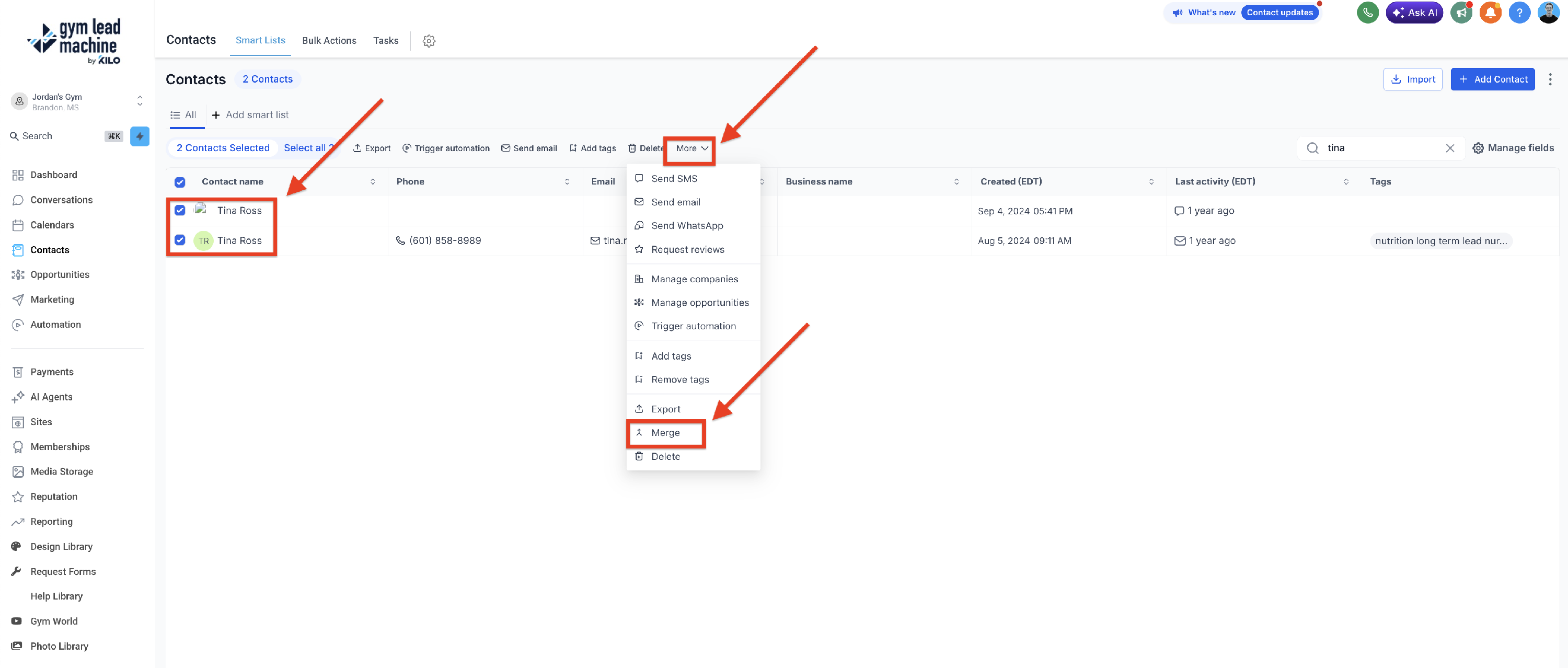
Select all instances of the contact by selecting the checkbox to the left of their entries.
Click the merge icon. A pop-up with the separate contact listings will appear.
In the pop-up, select the "Master" contact (usually the contact with the earliest creation date) and any relevant information that you would like to keep when the contacts are merged.
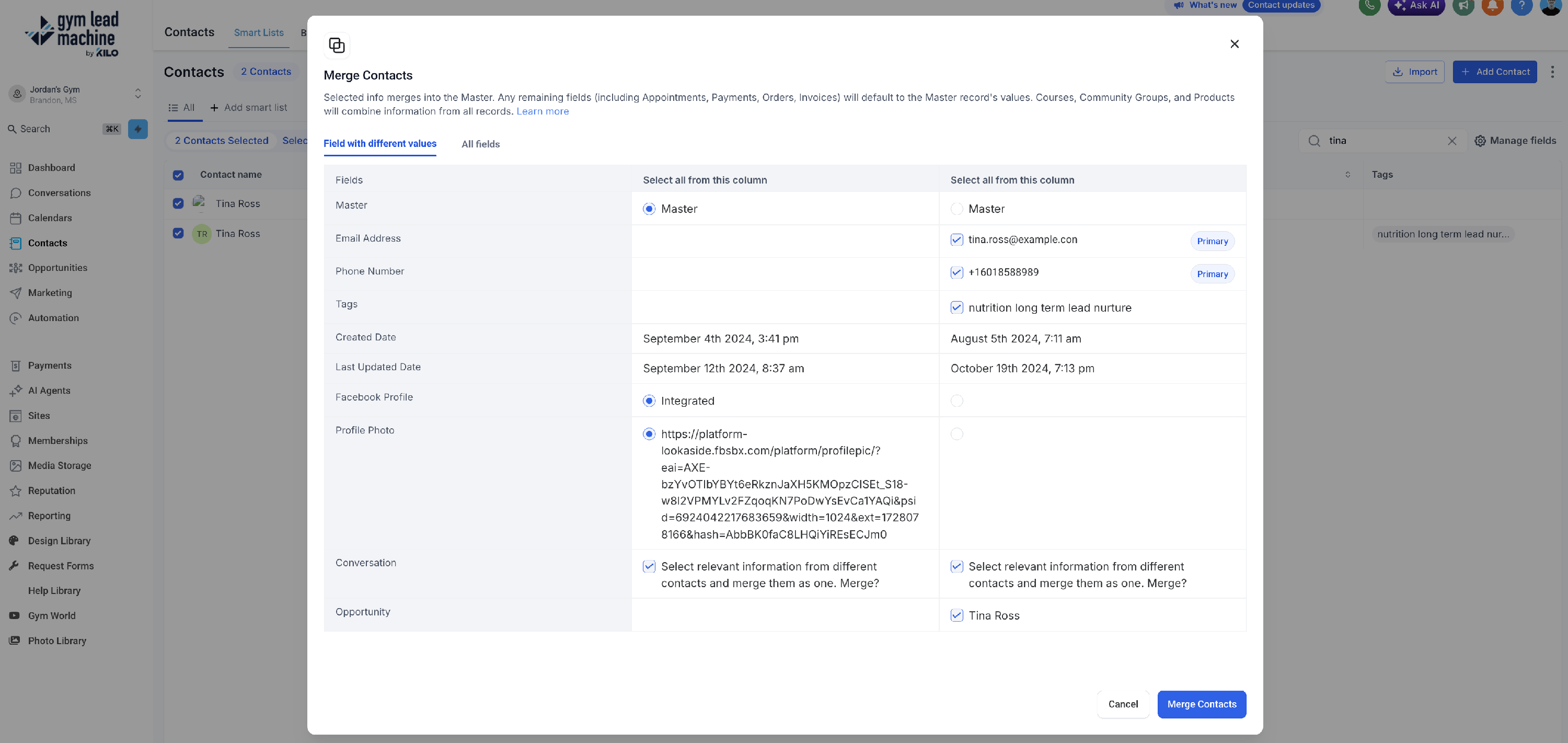
Confirm at the bottom of the pop-up and resolve.
Can the Support team help with deletions or merges?
Yes. If you would like the Support team to assist you in deleting or merging contacts, use this request form to let us know how we can assist you.
If you have questions about deleting or merging contacts in Gym Lead Machine, our Support team is happy to help. Reach us at hello@usekilo.com.