


Need more help? Contact our support team at hello@usekilo.com. We're here for you!
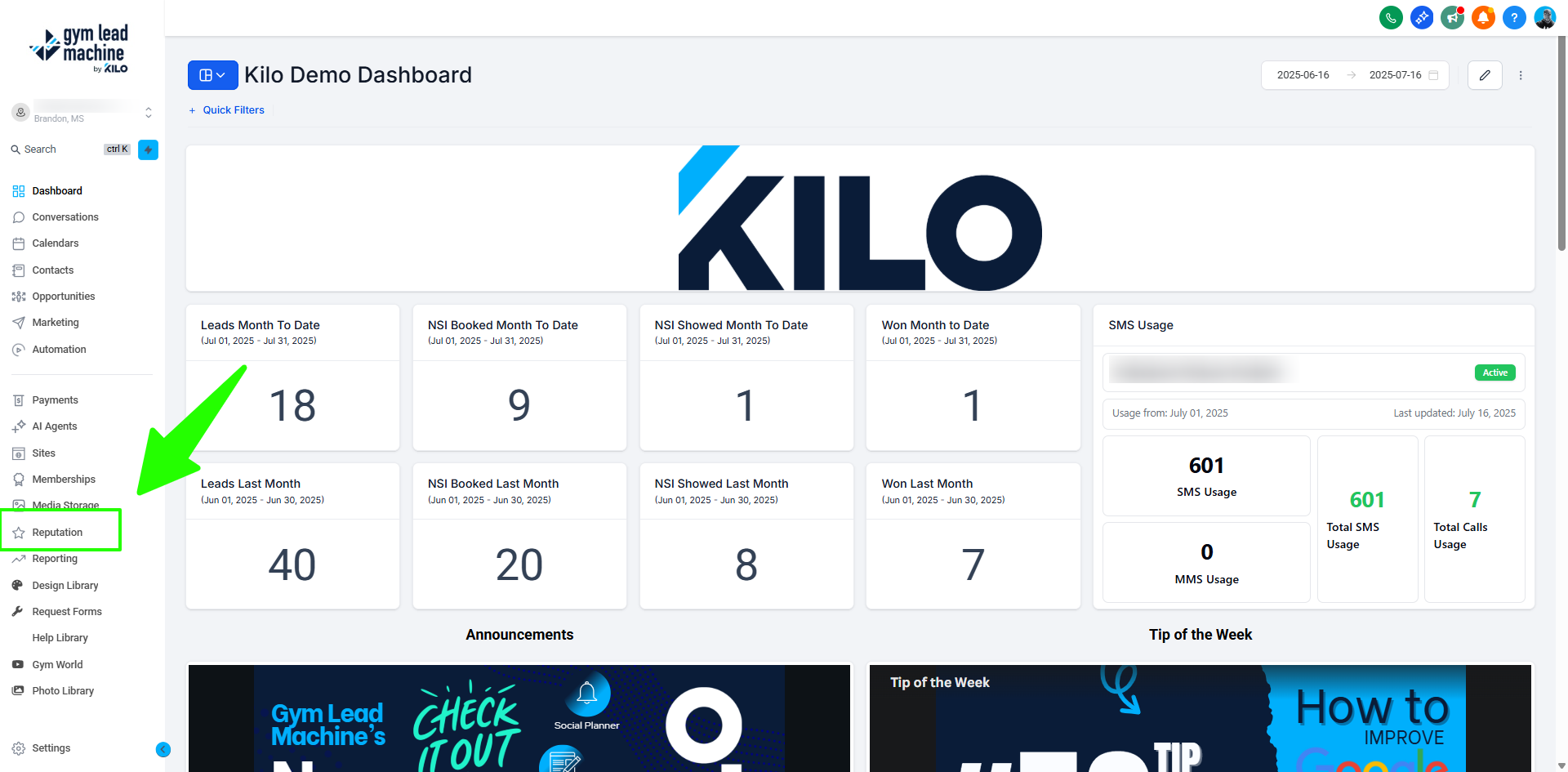
From your Dashboard, click Reporting to access six powerful modules that track every aspect of your gym's lead-to-member journey.
1. Custom Reports
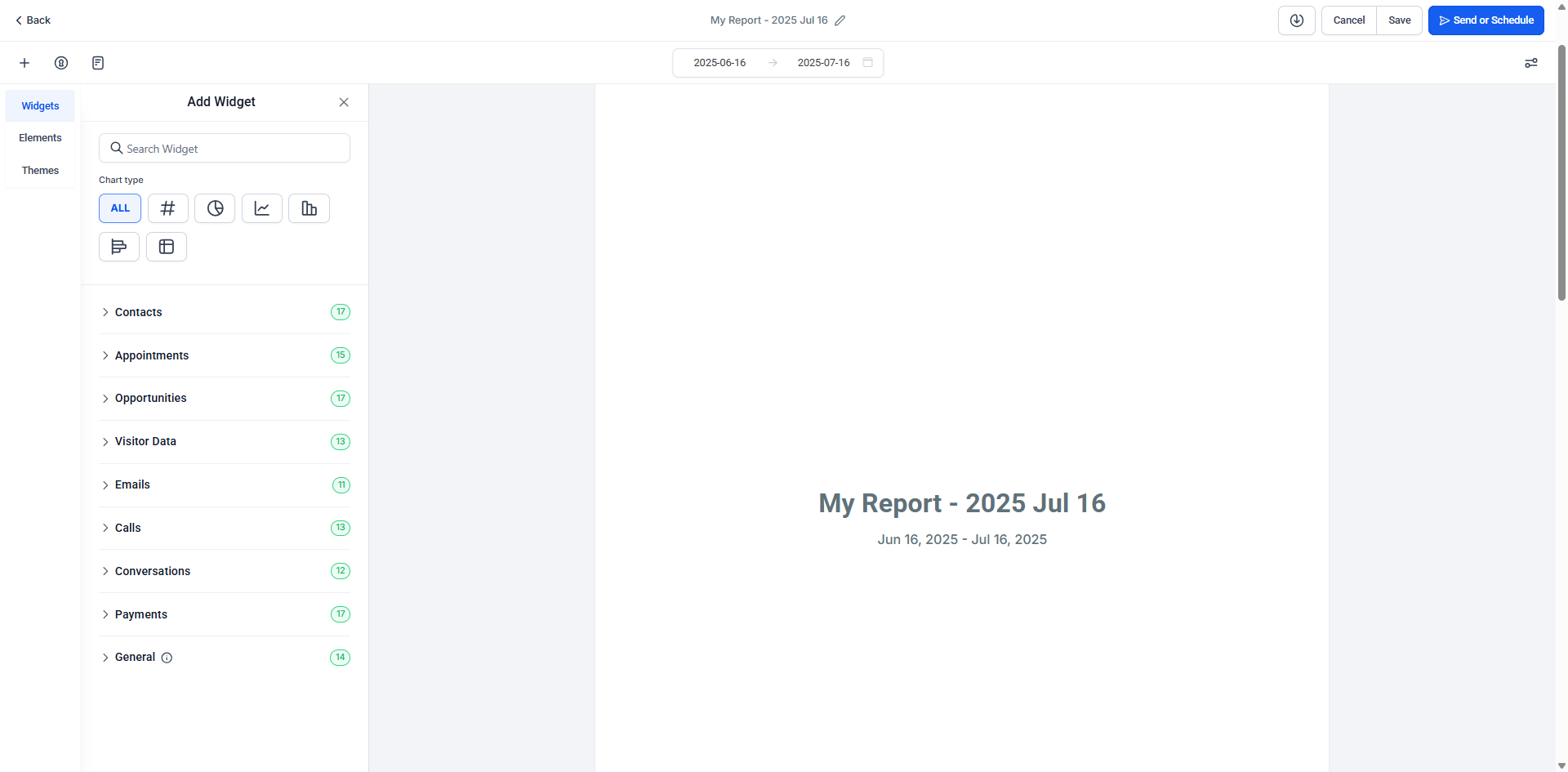
Craft any report you need:
Build from scratch or choose from pre-built templates.
Pull in key dashboard metrics (appointments, calls, pipeline statuses).
Schedule automatic email delivery—daily, weekly, monthly.
This ensures you and your team stay informed without logging in daily.
Pro Tip: Use templates for fast insights like “Weekly Lead Summary” or “Appointments vs. Conversions.”
2. Attribution Reports
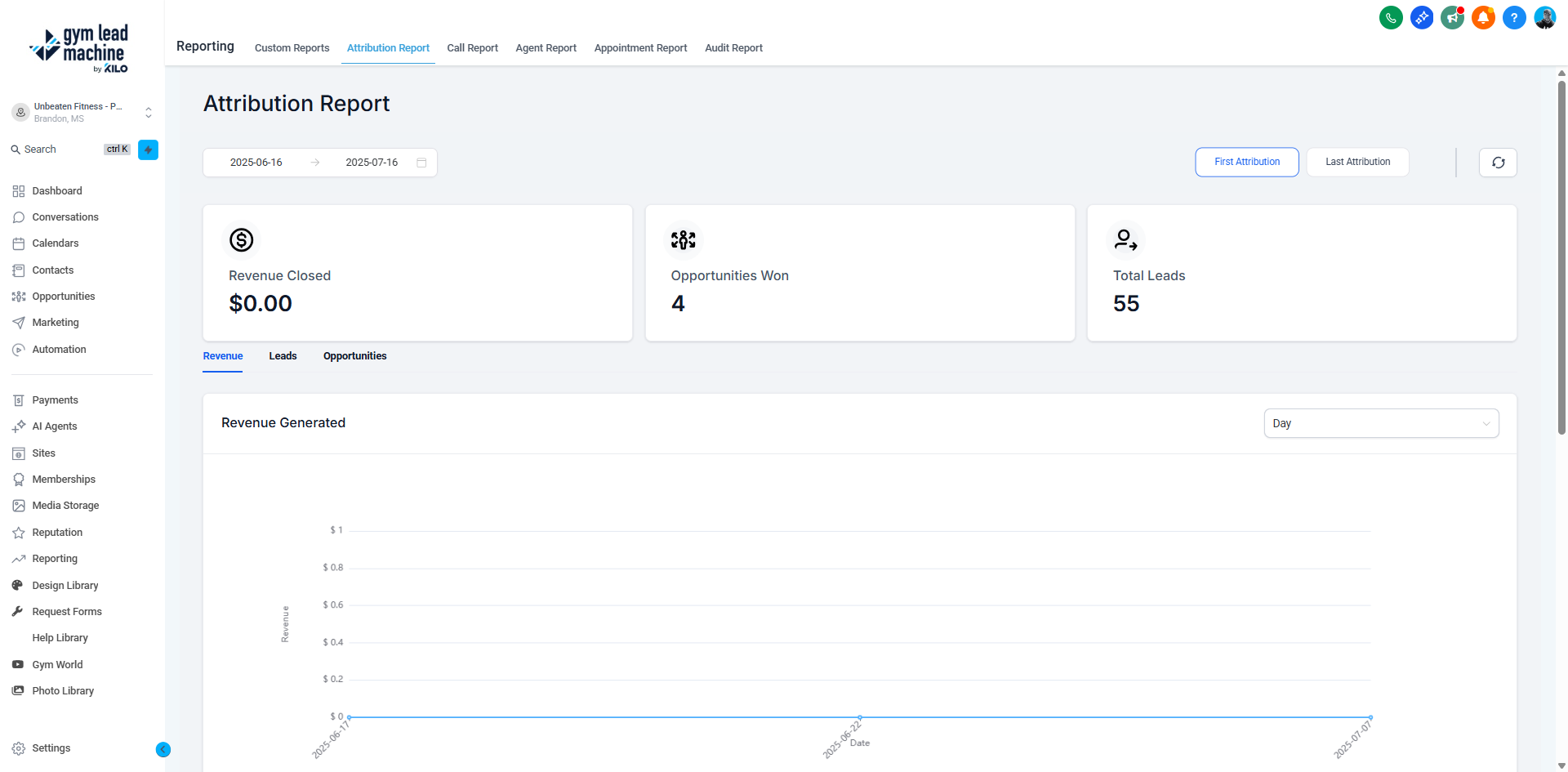
Essential for understanding lead sources and ROI:
Tie each contact/opportunity back to campaigns, UTMs, ads, or referral sources.
View Source (first touch) and Conversion reports to see which channels convert best.
Adjust date filters to compare performance over time.
Why it matters for gyms: Identify which ads, social platforms, or promotions drive the most high-quality leads, then double down on what works.
3. Call Reports
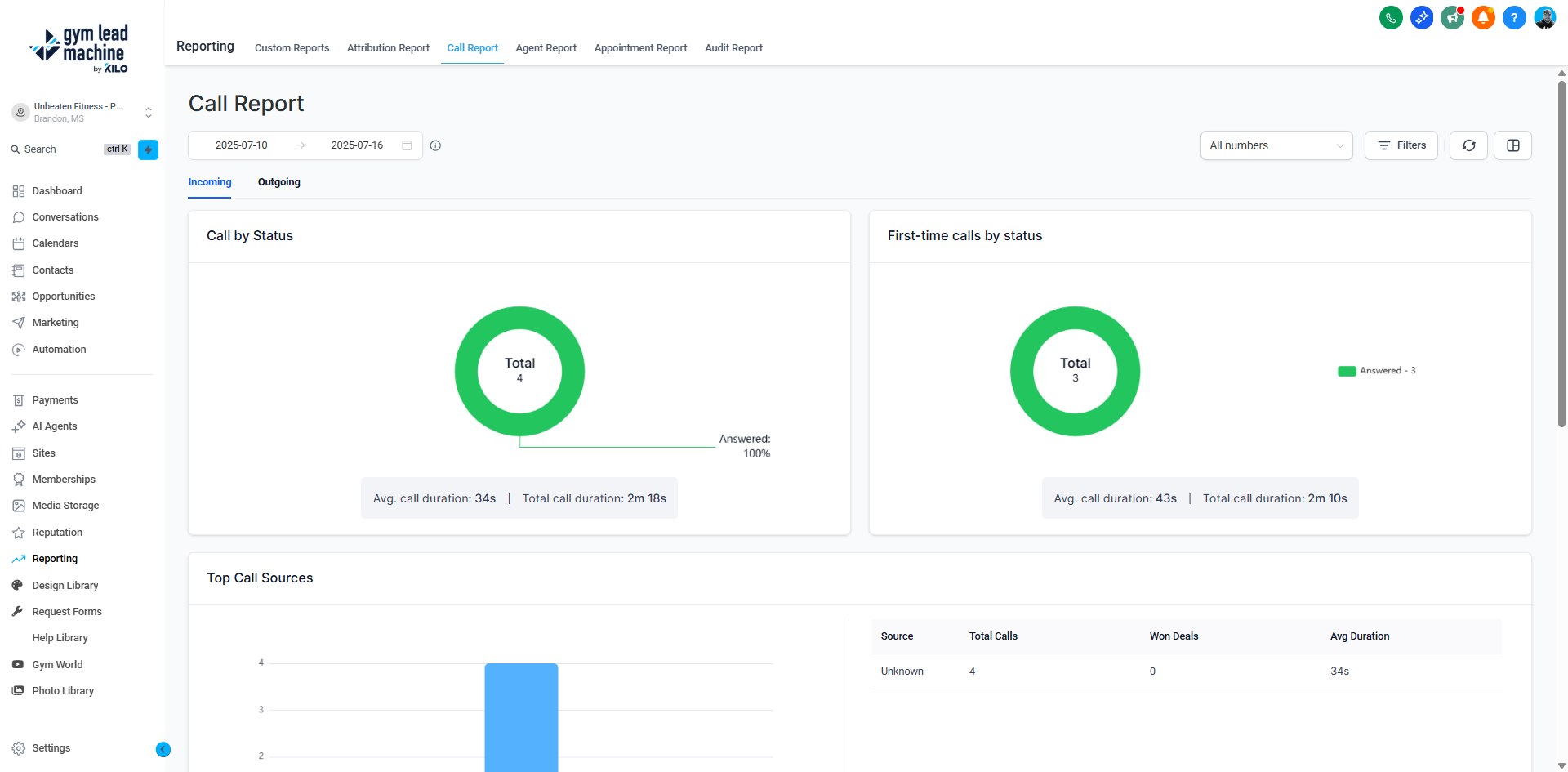
Track your communication with prospects:
Monitor total inbound and outbound calls.
View answered vs. missed calls, call duration, and top sources.
Expand individual line logs to review timestamp, direction, and listen to recordings.
Export as CSV for deeper analysis or to share with coaching staff.
Pro Tip: Monitor call trends to improve follow-up team performance and reduce missed leads.
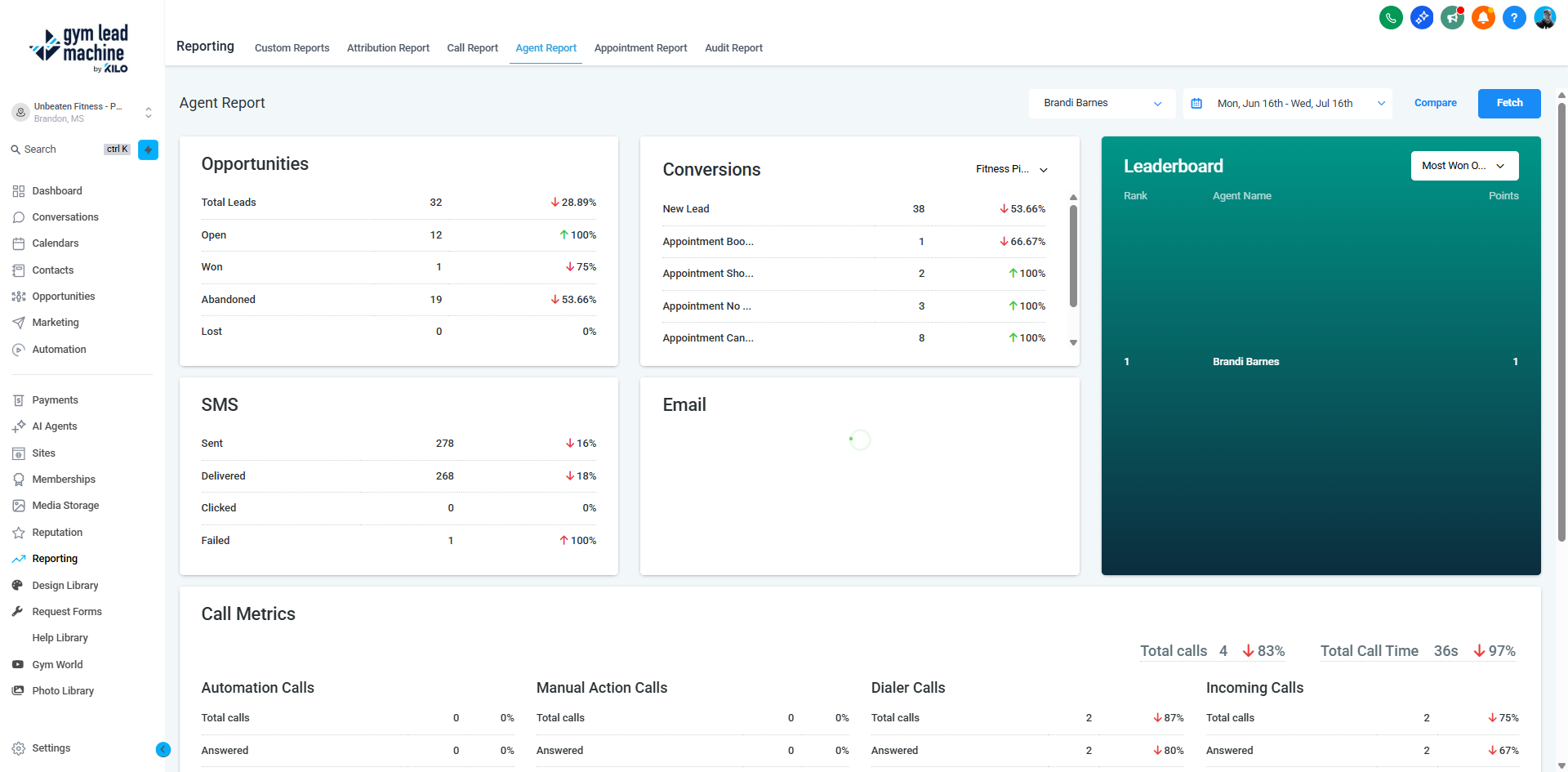
4. Agent Reports
Perfect for gyms managing a team of coaches or lead agents:
Available on Agency Pro-level accounts.
See each staff member's performance: opportunities, conversions, SMS/email volume, and calls.
Leaderboards highlight top performers.
Compare performance across time periods and identify training opportunities.
5. Appointment Reports
Optimize your booking and show rates:
Track appointments scheduled, confirmed, no-shows, and cancellations.
Filter by creation source (e.g., SMS link vs. website widget).
Export data to monitor show rates and conversions weekly.
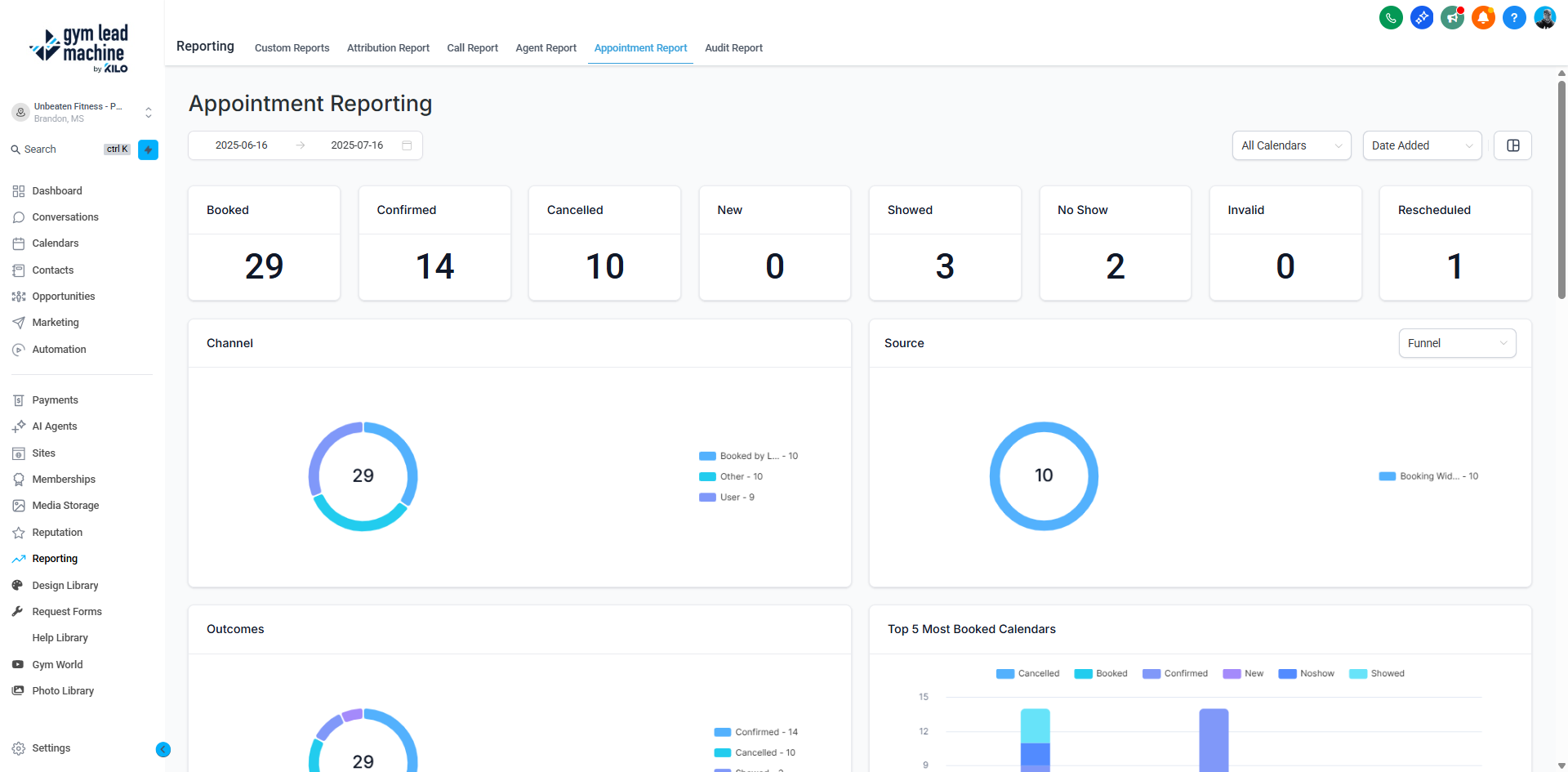
Pro Tip: Use this report to identify booking friction (like low show rates) and test follow-up reminders or incentives.
6. Marketing Audit Reports
A newer module for a full marketing health check:
Evaluate your systems based on key categories—ads, funnels, lead follow-ups, and more.
Compare current performance across time periods.
Get specific, actionable recommendations for improvement.
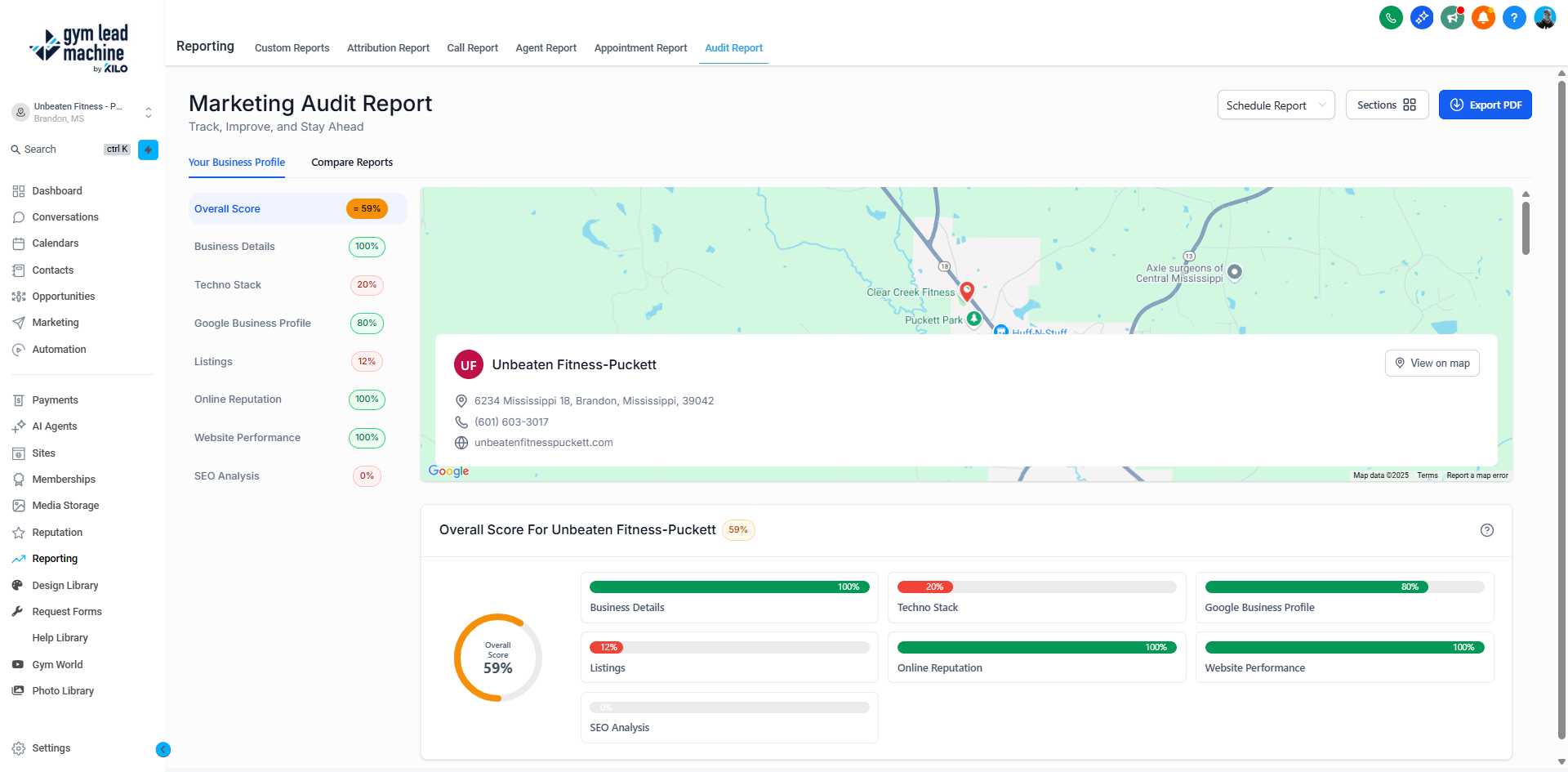
Why this matters: It’s like your monthly digital marketing check-up—ensuring nothing critical slips between the cracks.
✅ Putting It All Together: Monthly Gym Growth Routine
Task | Tool & Goal |
|---|---|
Audit marketing channels | Attribution Report—identify best ad/campaign sources |
Review communication | Call Report—check response efficiency and quality |
Track staff performance | Agent Report—highlight top agent + coaching needs |
Analyze booking flow | Appointment Report—measure show rates and optimize reminders |
Stay informed | Custom Reports—automate weekly/monthly email digests |
Strategic review | Marketing Audit—monthly deep dive to boost ROI |
🚀 Advanced Tips
Aggregate with BI Tools:
For deeper insights, export to Google Sheets, Power BI, or Looker Studio using tools like Coupler.io.
It's perfect for cross-channel dashboards (e.g., combining gym leads, Google Ads spend, membership revenue).
BI Automation:
Automate refresh cycles so your dashboards update in real-time, not manually.
Download & Audit:
CSV exports (from Call, Appointment, Custom) allow offline deep analysis and historical comparisons.
Staff Incentives Dashboard:
Use Agent Reports to create competition or incentive programs—e.g., “Top Agent of the Month.”
Summary
Gym Lead Machine’s Reporting section gives you full transparency over:
Lead origins
Team performance
Call response
Appointments
Overall marketing health
By combining strategic review and automated insights, you can make data-driven decisions, uncover growth opportunities, and strengthen your gym’s conversion engine.