
How To Change A Login Email For Kilo GMS
Kilo users may want to change the email address they use to log in to Kilo. For security reasons, gym owners and staff cannot edit the email address of other users once the user profile has been activated.
Follow the steps below to update your login email address for Kilo:
- Log in to Kilo via the mobile app or app.usekilo.com
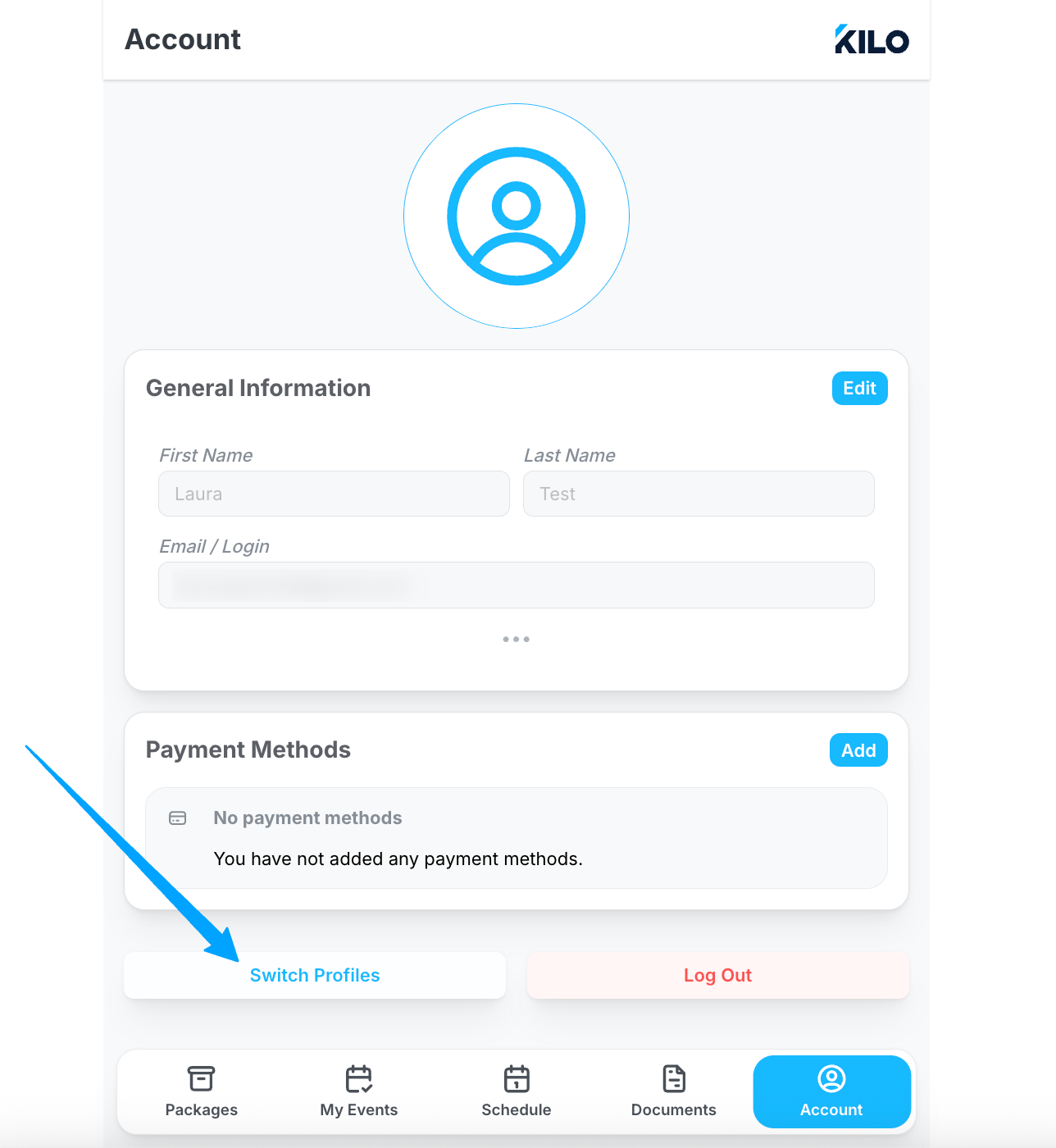
- Navigate to Account
-
Click to Switch Profiles
-
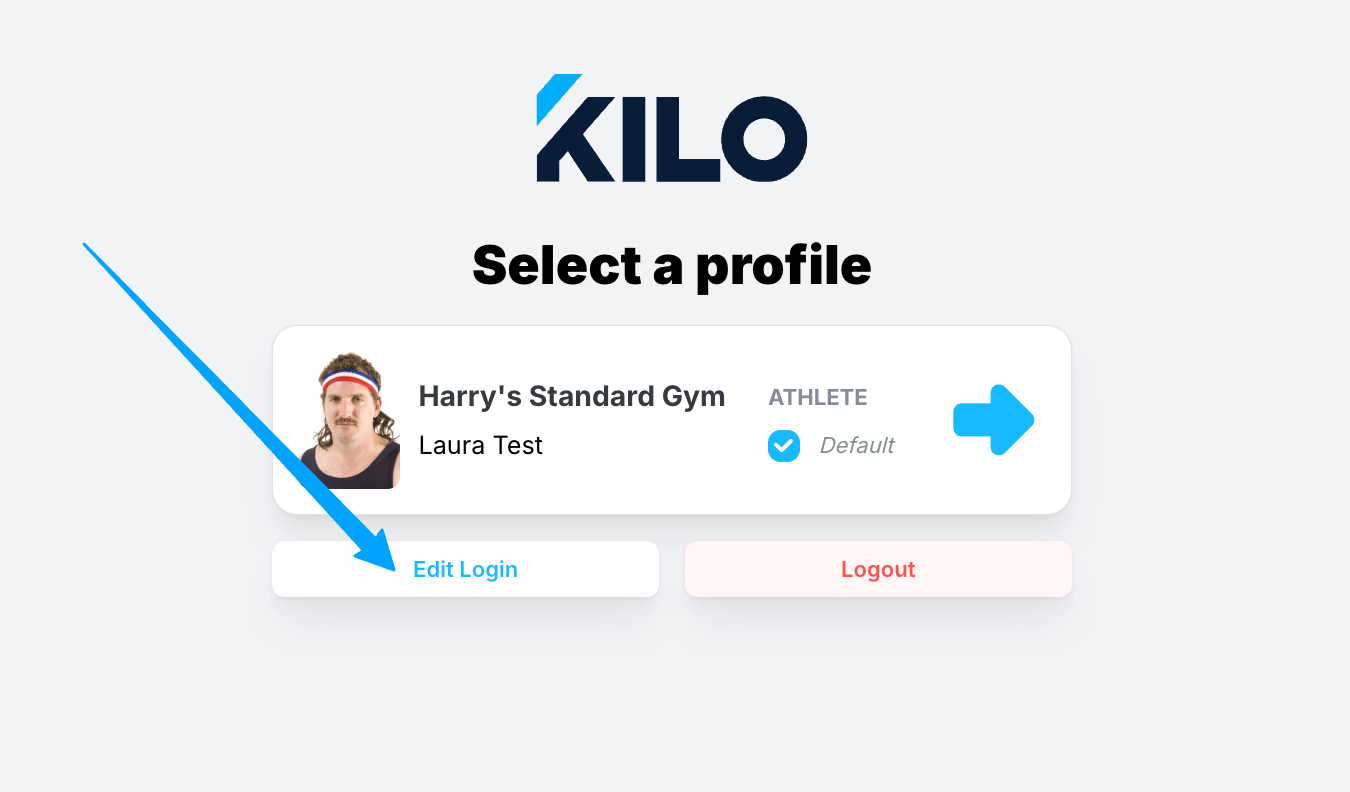
On the login screen, click to Edit Login
-
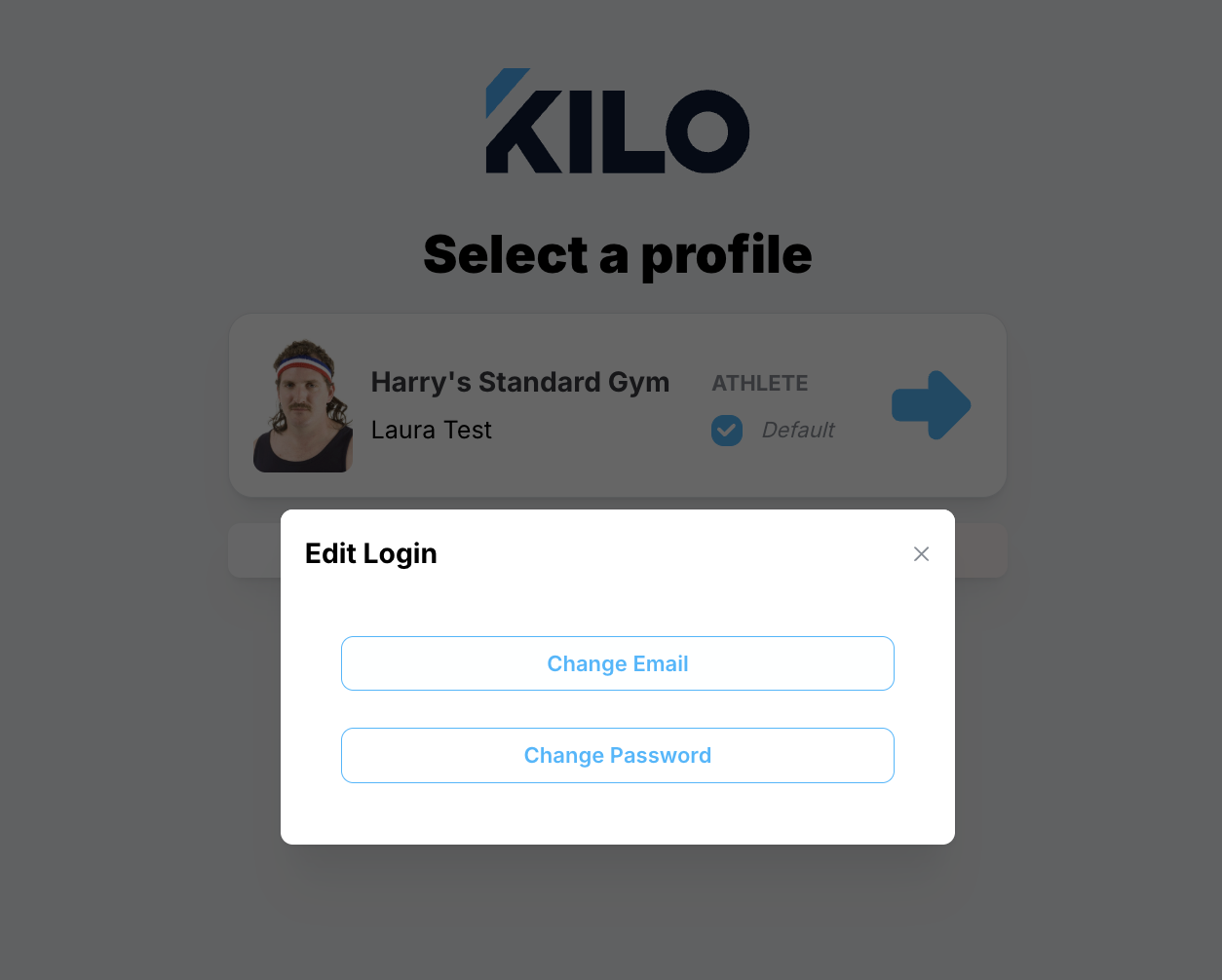
Select to Edit Email
-
Enter your current and new email address
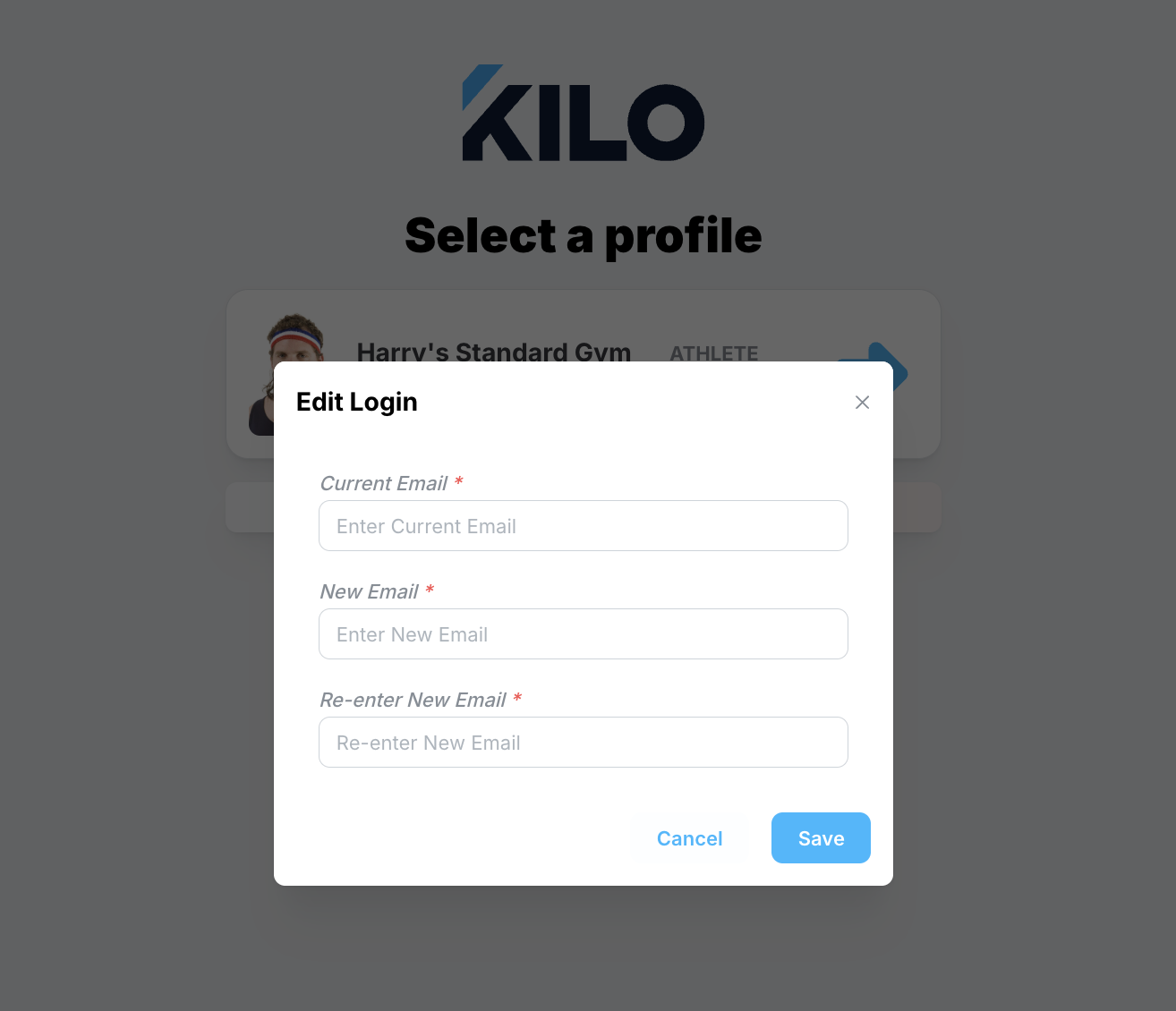
- Save
